Not Everyone in Your Follow Up Boss Database Is a Lead
A typical Follow Up Boss database holds more than prospects. Lenders, title reps, recruiting targets, vendors, staff and do-not-contact records live in the same contact list as buyers, inflating your counts and crowding your priority queues. Separating them is a stage-and-tag exercise you can finish in an afternoon, with no extra software.

The contact that made us build a classifier scored 99 out of 100 and came back labelled an active buyer. Their stage said Do Not Call. They had never been a lead at all — they had filled out a form for a completely different business the same team runs out of the same Follow Up Boss account.
Nothing in that chain was broken. The record had real activity on it. The scoring read the activity. The score came back high. The only step nobody had taken was the one before all of it: asking whether this person was a prospect.
That question is worth an afternoon of your time, and you do not need any software to answer it. Here is what is actually sitting in a typical Follow Up Boss database, what it costs you, and how to separate it out.
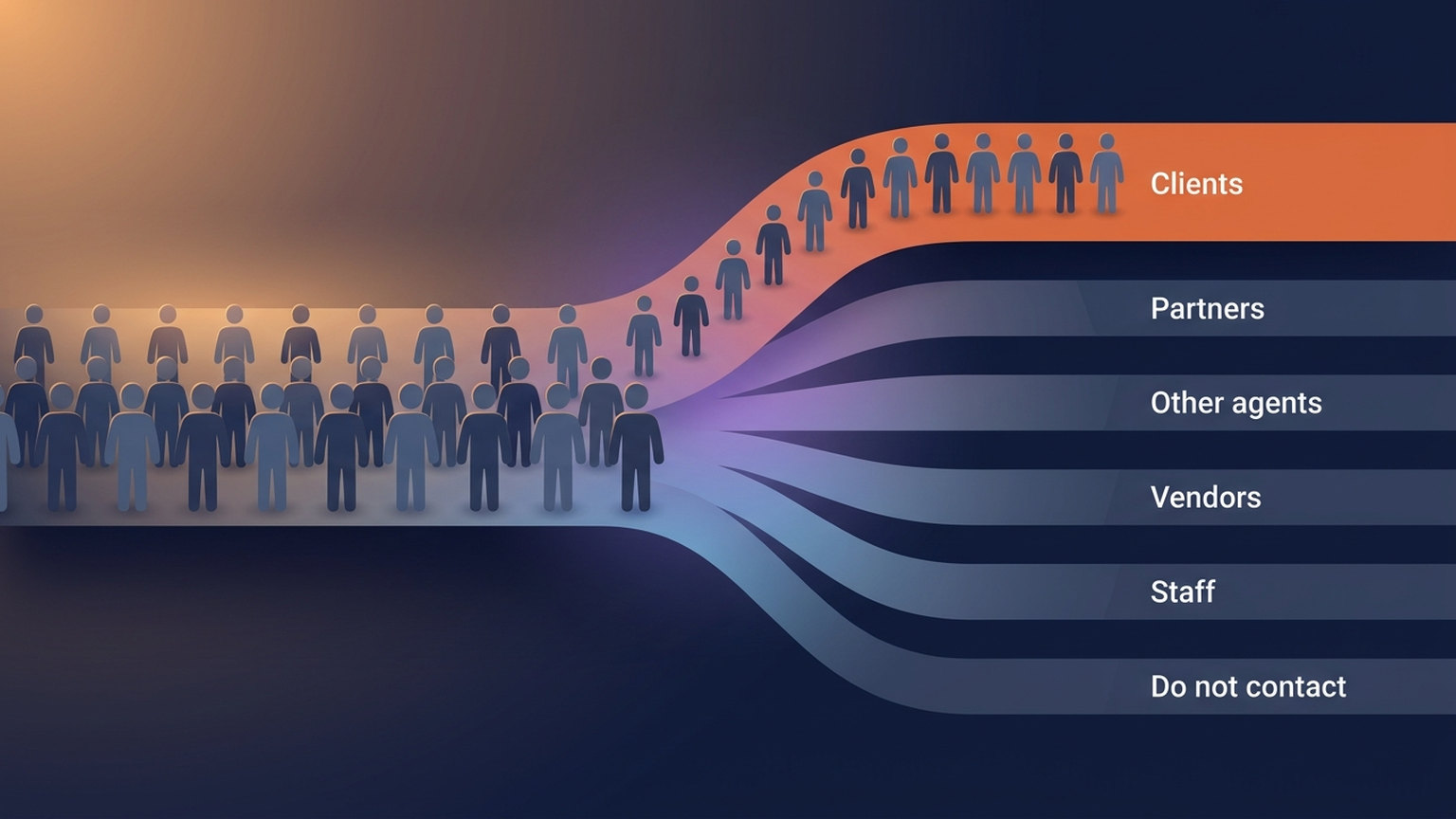
Who is in your lead list who isn't a lead
Every real estate team accumulates people in the CRM who are not, and will never be, clients. Not because anyone was careless — because the CRM is where the team's whole professional world lives, and the CRM has one contact list.
| Population | How it usually gets in | What it looks like in FUB |
|---|---|---|
| Partners | Deliberately added so they're reachable | Lenders, title reps, escrow officers, inspectors, appraisers, insurance agents |
| Other agents | Recruiting pipeline, co-op contacts, referral partners | A "Recruiting" stage, agent-referral tags |
| Vendors | Added once during a listing, never removed | Photographers, stagers, contractors, handymen |
| Staff and internal | Team members, ISAs, test records from setup | Contacts on your own email domain; "test lead" records |
| Another business you run | A shared form, a shared newsletter, a shared inbox | One dominant lead source that isn't real estate |
| Do not contact | Someone asked to be left alone, or the record is junk | Trash, Spam, DNC stages; a literal do-not-contact tag |
None of these are mistakes. Your lender relationships are among the most valuable records you have, and so is a well-kept referral pipeline of other agents. The problem isn't that they exist. It's that nothing in the CRM distinguishes them from a buyer who toured a house last Tuesday.
Why this costs more than an untidy list
Your counts stop meaning anything
If someone asked how many leads your team has, you would read a number off a screen. That number is the denominator for how many contacts each agent can realistically work, for what a lead costs you, and for whether it is time to hire. When part of it is vendors, recruiting targets and a newsletter list from a side business, it is not wrong by a rounding error. It is wrong in the direction that makes every one of those decisions look easier than it is.
Your priority queue surfaces the wrong people
Anything that ranks contacts by activity will happily rank a busy non-prospect above a quiet real buyer. A lender you email twice a week generates more signal than a client who is waiting on a rate to move. Sort by engagement and the lender wins. This is the failure that produced the 99-scored do-not-call contact above: the ranking was doing exactly what it was told.
Anything computed across the whole book inherits the problem
This is the part that is easy to underestimate. If you score, segment or benchmark your database, non-prospects don't just add noise — they add structured noise, concentrated in particular sources, stages and tags.
That distinction matters more than it sounds. A long-running survey of classification under label noise found that mislabelled examples can reduce prediction accuracy and increase the amount of data a model needs to reach the same result (Frénay & Verleysen, IEEE TNNLS, 2014). More pointedly, a 2025 benchmark of 22 classification models found they tolerated large amounts of random label noise reasonably well, but degraded sharply under small amounts of biased noise — under 10% was enough to cause substantial drops (Jackson et al., Proc. VLDB Endow., 2025).
Non-prospects in a CRM are the biased kind. They arrive through the same handful of forms, carry the same handful of tags, and behave differently from clients in consistent ways. That is the noise profile models handle worst.
The audit: five passes through your own database
All of this runs in Follow Up Boss itself. Nothing here requires a third-party tool.
- Read your stage list out loud. Any stage whose name describes a population rather than a step in a transaction is a flag: Lender, Title, Vendor, Recruiting, Trash, Do Not Call. A stage is a strong signal precisely because a human chose to put someone there.
- Scan your tag vocabulary, not your tags. Pull the list of distinct tag names in use. You are looking for role words, and for how often each one appears — a role tag on 20,000 contacts is not a role tag (see the next section).
- Search your own email domain. Every staff member, ISA and test record you created during setup is sitting in there under your company domain. This pass takes about ninety seconds and usually finds something.
- Look at your largest lead source. If your team runs anything else — an event, a newsletter, a second brand — it very likely shares a form or an inbox with the CRM. One dominant non-real-estate source is the tell.
- Pick one marker and commit to it. A single tag applied consistently beats a clever taxonomy nobody maintains. Then build a smart list that excludes it, and use that list as the denominator whenever you quote a number.
If your database has never had a hygiene pass, run this alongside the mechanical work — merging duplicates and fixing stale statuses — but keep the two separate in your head. Deduplication makes a record correct. This makes it classified. A perfectly clean lender record is still not a lead.
The tagging rule that will save you from your own tags
Here is the trap, and we walked straight into it.
An early version of our classifier treated any tag containing the word "lender" as evidence that the contact was one. On one account that matched roughly 25,700 contacts. The team tags every incoming lead with the lender who referred them. Those weren't lenders. They were the leads.
The distinction is between a tag that describes who the contact is and a tag that describes what the contact needs, or where they came from:
| Tag describes the contact's role | Tag describes a need, a source, or a workflow |
|---|---|
lender | needs lender |
home inspector | find inspector |
recruiting | referred by recruiter |
vendor | imported from vendor list |
team member | assigned to Sam |
The left column disqualifies. The right column never should. If your tag vocabulary mixes the two — and most do, because both are useful — the fix is not to stop using workflow tags. It is to make the role tags unambiguous, and to be suspicious of any "role" tag that appears on a huge share of your database. A role that applies to a large share of your database is not a role. It's a workflow marker wearing a role's name.

Where automatic classification helps — and where it doesn't
Ace runs one shared answer to "is this contact a prospect?" and every AI surface on the account reads it: suggestions, the seller scan, the scoring sweeps, the ranked opportunity lists. A contact classified as a partner, vendor, other agent, internal record or do-not-contact is skipped by all of them rather than by some of them, which is the only version of this that actually works. It reads what's already on the record — tags, stage, source, email domain — and it does not call out to any third party to enrich the answer.
Two overrides sit above every heuristic, and both are ordinary Follow Up Boss tags, so you can apply them from a smart list with no new interface to learn:
ace-ignore— never work this contact, whatever the rules think.ace-include— work this contact, whatever the rules think.
Admins can also declare account-level rules — specific tags, stages, lead sources and internal email domains that mark a non-prospect population — and changing them re-checks the contacts you already have. That last part is a fix, not a feature: for a long stretch, editing those rules only affected contacts that happened to receive an update from FUB afterwards, which for a dormant record could mean never. One account was carrying several hundred stale verdicts before we caught it.
Three limits worth stating plainly, because they shape what you should expect:
- It is tuned to miss rather than to over-match. Wrongly excluding a real lead removes them from every AI surface silently, which is far worse than scoring a lender. So the rules are deliberately conservative, and they will let non-prospects through. The marker tags exist because the rules are not sufficient.
- It only sees what's on the contact record. Follow Up Boss has no endpoint for listing an account's tag vocabulary, so classification reads the tags present on the person in front of it. Nothing infers a role from a name or a domain lookup.
- A tag like
DNC registered phoneis deliberately not treated as an instruction. That tag describes the phone number's status on the national registry. Whether an established business relationship permits you to call anyway is a legal judgement for the account owner, and it is not a classifier's call to make. An explicit "do not contact" tag or stage, on the other hand, is treated as exactly what it says.
Once the population is right, the things computed on top of it get more honest. Ace writes two free fields onto Follow Up Boss contacts — Ace Win Score and Ace Churn Risk — and a contact classified as a non-prospect stays out of the pools those are computed against. The same is true of Seller Radar, of the lifecycle states on every contact, and of the account-wide intelligence in Ace Trove. None of it is better than the question of who belongs in the population.
Common questions
Should I delete non-prospects from Follow Up Boss?
Almost never. Your lenders, inspectors and past co-op agents are working relationships and you want to be able to find them. The goal is to label them so they stop being counted and ranked as leads — not to lose them. Deleting also destroys history you may need later.
Aren't partners worth marketing to?
Often, yes — and that's a separate motion with separate messaging, which is the actual argument for classifying them. Once they're identified you can segment them deliberately instead of dropping them into a buyer nurture and hoping.
Doesn't archiving a contact in Follow Up Boss already handle this?
No, and treating it as if it does causes its own problem. Archived, cold and unresponsive contacts are still prospects — re-engaging dormant leads is one of the highest-value things a database can do for you. "Not active right now" and "not a client" are different facts and need different markers.
When does this go wrong again?
At import. A bulk contact import is the single most common way a few thousand non-prospects arrive at once, usually carrying the previous system's tags. Re-run the five passes after any import, after adding a new lead source, and once a quarter otherwise.
Where do I start if I've never done this?
Pass three — search your own email domain. It takes under two minutes, it always finds something, and it makes the rest of the argument for you.
Try Follow Up Ace in your Follow Up Boss
Free to start, no sales call. Connect Follow Up Boss in one click and Ace works inside your CRM.
Get Started Free