The open house sign-in people actually want to fill out.
Visitors scan a QR at the door and the home's Home File — price, features, your highlights — lands in their inbox instantly. They give you real info, because the file only arrives if it's real. The lead is in your Follow Up Boss before they finish the tour.
No app to install · Works on every phone at the door · Consent-first capture
What is Open House Sign-In? One of Ace's Lead Magnets — hosted, branded, deployable lead-gen tools for Follow Up Boss teams. Open House Sign-In is a per-property event sign-in that instantly emails the visitor the home's Home File; the Quick Connect Card is a 10-second name-and-mobile exchange that saves your contact card to their phone. (Need a fully custom capture form instead — a buyer consult, a guide download, an RSVP list? That's Ace Forms, a separate builder.)
Every submission is consent-first and is created in Follow Up Boss automatically — tagged, sourced, and routed to the right agent. Every account gets a free tool; any Ace seat unlocks more with custom questions and per-agent links, and any Ace Pro seat or Ace Trove adds conditional routing rules.
Paper gets walked past. A fair trade gets filled out.
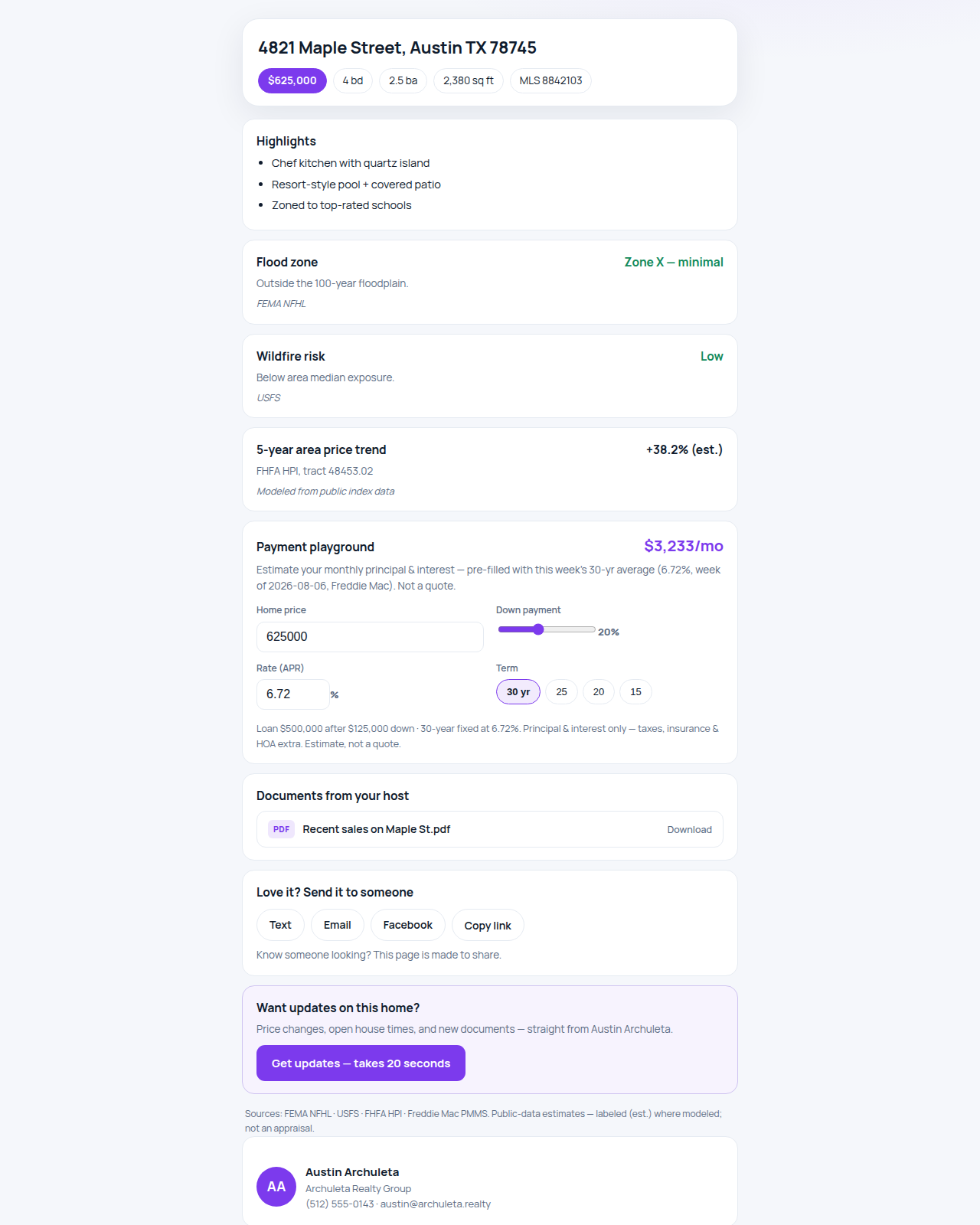
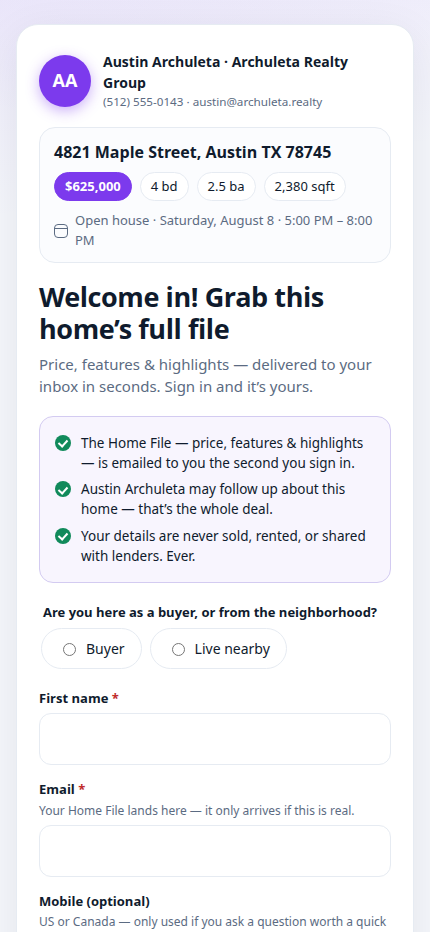
The clipboard by the door fails two ways: visitors drift past it, and the ones who do sign have no reason to write their real number — a paper sheet gives them nothing back, and shows them everyone who came before. Ace's Open House Sign-In flips the exchange. The visitor scans a QR, taps in their details, and the Home File lands in their inbox the instant they sign in — a hosted dossier for the home: your price, facts and highlights, live public-data context (flood, wildfire and seismic exposure, the area's price trend, a neighborhood profile), this week's average mortgage rate with an interactive payment playground, and any documents you attach, like a recent-sales sheet. The file only arrives if the email is real, so visitors police their own data. You stop collecting names and start collecting reachable people.
The paper sign-in sheet
- Easy to walk straight past on a busy Saturday
- Nothing in it for the visitor — so fake names and dead numbers
- Every visitor can read the previous visitors' details
- Handwriting to decipher and re-type back at the office
The Ace Open House Sign-In
- A genuine trade: sign in, get the Home File instantly
- Real info — the file only arrives if the email is real
- Everyone signs in on their own phone; nobody sees anyone else
- The lead is in Follow Up Boss before the tour ends
Three ways to run the door.
Door-sign QR
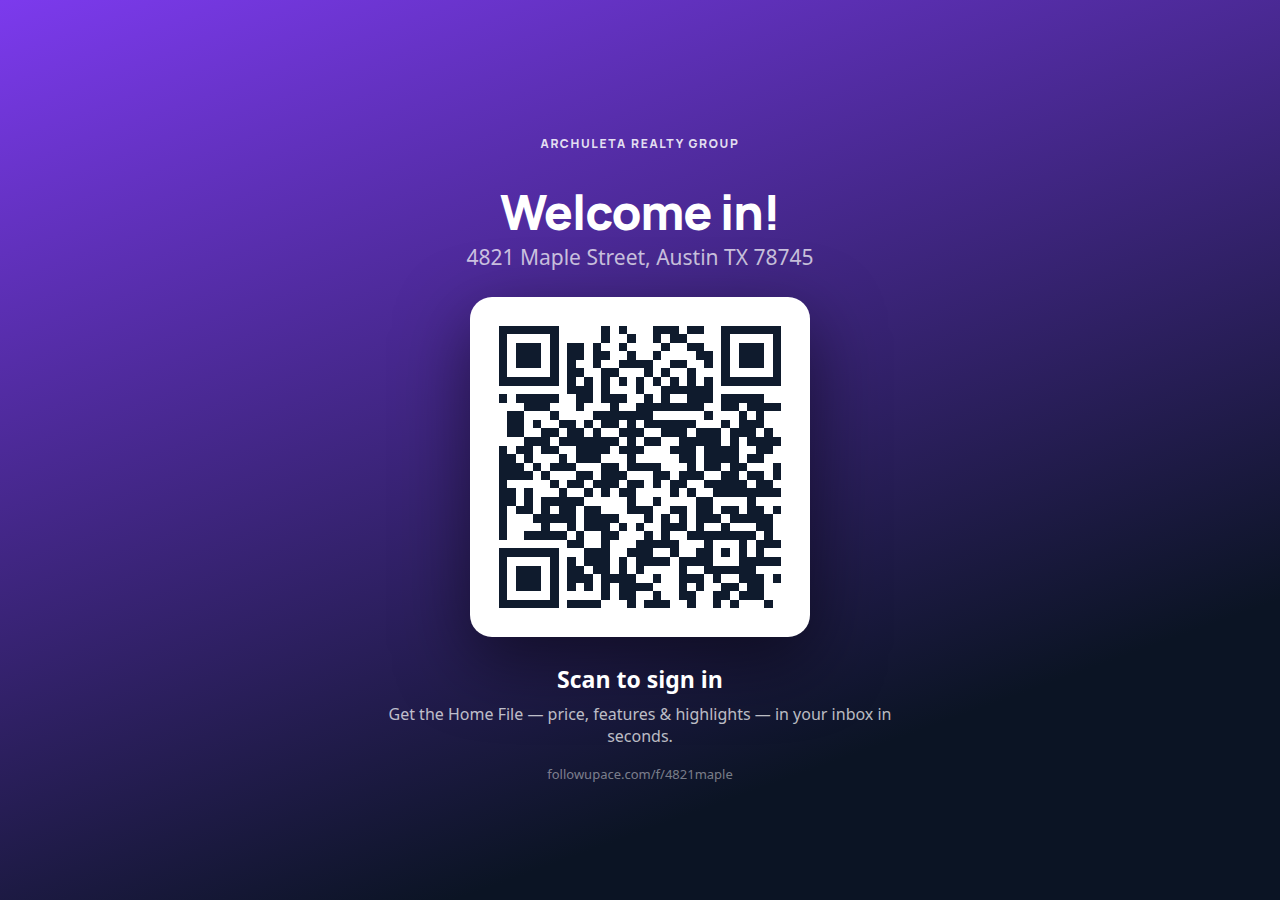
Render a full-screen QR sign on a tablet at the entry, or print it for the door. Visitors scan with any phone camera and sign in on their own device — no app, no shared screen, no line.
Kiosk mode
Prefer a device at the door? Kiosk mode runs in the browser on the iPad you already own and resets itself seconds after each submission — ready for the next visitor, with the last one's details gone from the screen.
Event page + RSVP
Every open house gets a promotion page — photos, price, the date with add-to-calendar, and a two-path RSVP ("I'll be there" / "send me the Home File"). Marketing the event builds your list before the door opens.
The Home File is a page, not a PDF.
Hosted, branded to you, and alive: your listing facts and highlights up top, then area data pulled from public and government sources (each section toggleable per home), the week's 30-year average rate, and a payment playground visitors can play with — price, down payment, term, rate — watching the monthly number move. Attach your own documents (a recent-sales sheet, a disclosures packet) and they're a tap away. And because it's a page worth sending, there's a share strip built in — text it, email it, post it — plus a "get updates on this home" sign-in link on every shared view, so when your visitors forward it to a friend, the friend becomes your lead too.
You leave with triaged leads, not names. Every sign-in answers the questions that decide your follow-up — buyer or neighbor, timeline, already working with an agent? — so you know who to call tonight, who to nurture, and which neighbors belong in seller follow-up. Then the follow-up runs itself: about two hours after sign-in, each visitor gets a personal-feeling email that adapts to their answers — hot buyers get asked to a private second tour, browsers get a soft first-look offer, neighbors get the "your street's value" framing, and visitors with an agent get a respectful version that keeps every rule. You can edit the timing and the copy; the defaults are built from what actually gets replies. And the next open house is one Clone click: the form, branding, and questions carry forward, the event window resets, and each event keeps its own lead list.
The BBQ moment, handled in ten seconds.
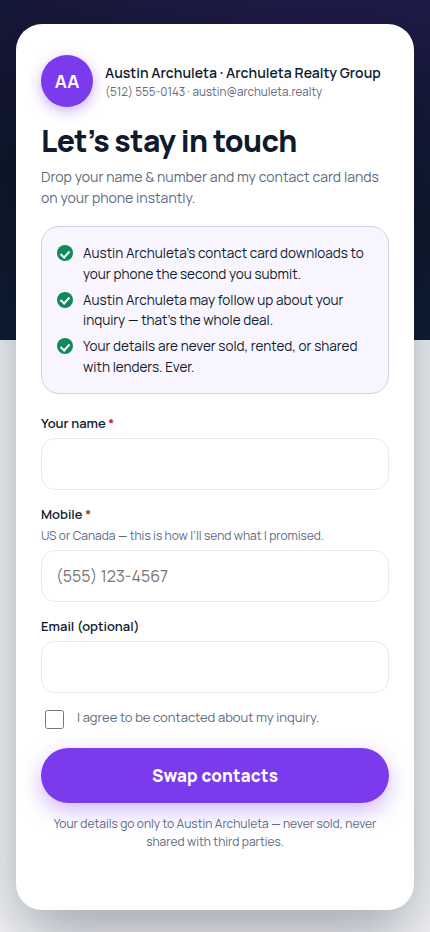
Someone at the cookout, the sidelines, the school fundraiser: "we're thinking of selling in the spring." Instead of digging for a card they'll lose, you open your personal Quick Connect link or QR from the Ace Companion. They enter their name and mobile on their own phone — about ten seconds — and the moment they submit, your contact card downloads to their phone. They get you; you get them — in Follow Up Boss. No app install, no account, no typing on your phone.
Why it converts
- Two fields, their phone. Name and mobile are all it takes — the whole thing is done before the moment gets awkward.
- Value-first, both directions. The instant they submit, your vCard saves to their phone — so your number survives the delete-a-screenshot purge.
- Straight into FUB. The lead is created in your Follow Up Boss with an "Ace Quick Connect" tag — no Sunday-night data entry.
The 10-second debrief. Right after the exchange, add one line of context from the Companion — "met at the Alvarez BBQ, selling in spring" — and it lands on the Follow Up Boss timeline, so your first follow-up references the real conversation instead of a cold template.
Every other place you meet people, covered.
The same engine powers fully branded custom forms — buyer consults, guide downloads, RSVP lists — for your website (copy-paste embed), your bio link, or your email signature. Start from a template, brand it once, share it anywhere.
- Custom questions, your way. On any paid seat, ask what actually matters — text, dropdowns, yes/no, dates, numbers, up to 12 fields — with instant, forgiving validation on the visitor's phone.
- Conditional routing rules (Ace Pro / Ace Trove) — auto-assign leads by any answer: budget over a threshold goes to the luxury team, "not working with an agent" goes to the buyer's agent, "live nearby" goes to the listing agent with a Seller Watch tag. First matching rule wins, every time.
- Per-agent personal links. One team form, a personal link and QR for every roster member — leads captured through an agent's link are assigned to that agent in Follow Up Boss automatically (when direct assignment is enabled for the account).
- Team distribution in one click. Push every agent's personal link and QR — plus kiosk and door-sign assets for open houses — to the whole team from the admin dashboard. Field-ready, no design work.
- Design themes that don't fight your brand. Classic, Modern, or Elegant — the hosted page and the door sign pick up the theme, with your team logo rendered from your Branding Profile.
- Your Branding Profile, applied automatically. Set team name, logo, colors, and contact details once in Ace Settings; every form inherits them — and a form the agent builds for themselves in the Companion routes its leads to that agent, period.
Free for every account. Bigger with any paid seat.
| Freeincluded with every account | Aceany Ace seat | Ace Proany Ace Pro seat or Ace Trove | |
|---|---|---|---|
| Active forms | 1 | 25 | 100 |
| Questions | Template questions | Custom questions | Custom questions |
| Branding | Standard, with a small "Powered by Follow Up Ace" credit | Your brand color + logo | Your brand color + logo |
| Per-agent personal links + QRs | — | ✓ | ✓ |
| Companion creation — agents make their own forms in the field | — | ✓ | ✓ |
| Conditional routing rules | — | — | ✓ |
Every tier, free included: consent-first capture, the instant Home File on open houses, the Quick Connect vCard, an email and Companion alert the moment a lead lands, and delivery into your Follow Up Boss. No per-lead fees, no separate sign-in app subscription.
Consent-first. RESPA-clean. Yours.
Every Ace capture page opens by telling the visitor exactly what they get instantly, what you get, and that their details are never sold, rented, or shared with lenders. Honest pages convert better — and they keep you clean.
- Explicit consent on every submission. Visitors tick a clear consent checkbox before anything is captured — no consent, no capture — and the consent record is stored with the lead.
- Everyone signs in on their own phone. No clipboard on the counter with the last ten visitors' names and numbers on display — each sign-in is private to the person signing it.
- Never sold, never shared with lenders. Some free sign-in apps pay for themselves by sharing your open-house leads with a sponsored lender. Ace never sells, rents, or shares your sign-ins — with lenders or anyone else. RESPA-clean by design, not by settings page.
- Leads go to your Follow Up Boss — nowhere else. No shared pool, no resale, no third parties. Your open house, your leads, your CRM.
Four questions agents ask first.
Do visitors need to install an app?
No. The door sign is a QR code — visitors scan it with any phone camera and sign in right in their browser, with no app, no account, and nothing to download. Kiosk mode runs in the browser on the iPad you already own. Nothing to install, nothing to crash, nothing to update before the open house.
What happens to the leads?
Every sign-in is created in your Follow Up Boss with a clear source and an "Ace Form" tag — open-house leads also carry an "Ace Open House" tag — routed through your team's Lead Flow, or assigned directly to the agent whose personal link captured it on paid tiers (when direct assignment is enabled for the account). You get an email and an Ace Companion alert the moment it happens, and the visitor's qualifying answers come along for the follow-up.
Can my team use it?
Yes. On any paid Ace seat, every roster member gets a personal link and QR for the team's forms — leads captured through an agent's link are assigned to that agent in Follow Up Boss automatically — and agents can create their own agent-personal forms from the Ace Companion in the field. Admins push field-ready links, QRs, kiosk, and door-sign assets to the whole team in one click. On the free tier, everyone shares the single team link.
What about my existing open house sign-in app?
Keep it if it works for you — or replace it; your call. Ace Forms is included with every Follow Up Ace account, so there's nothing new to buy and nothing to cancel to try it. Run your next open house with both and keep whichever brings you better, more reachable leads.
Saturday's foot traffic, in Follow Up Boss by Saturday night.
Set up your first open house sign-in in minutes — pick the template, add the property, print or prop the QR at the door. Free tier on every account. Self-serve, no sales call.