Your Follow Up Boss embedded app went blank. Here’s the order to check.
An embedded Follow Up Boss app that loads its frame but never becomes usable is almost never a CRM outage. Check in cost order: is it one agent or everyone, then the app’s connection to the CRM, then the browser’s third-party cookie and tracking settings. That third one is where most of these end.

The widget said connected. The text box would not take a cursor.
That was the report on August 4th — a team lead on Microsoft Edge for Windows, Ace loaded inside Follow Up Boss with a green status, a contact open behind it, and a composer that behaved like a picture of a composer. Hard refresh, same. Different contact, same. Log out and back in, same.
It was our bug, and we’ll get to what it was. But the reason it took a while to find applies to every embedded app you run inside your CRM, not just ours. The order people check things in is almost exactly backwards.
The symptom that sends everyone the wrong way
A dead-but-connected embedded app produces a very specific wrong guess. The status says connected, so the network is fine. The frame rendered, so the app loaded. Therefore, people reason, the CRM must be down or the account broken — and off they go to check billing, permissions, integration settings. The most expensive checks, and the least likely causes.
What a green status actually proves is narrow: a connection opened. It does not prove the app finished starting up. Startup is a sequence — connect, send the CRM its identity, receive the contact context back, enable the controls. Break any link after the first and you get a connected frame that never becomes a working app. No error, because nothing crashed loudly enough to produce one.
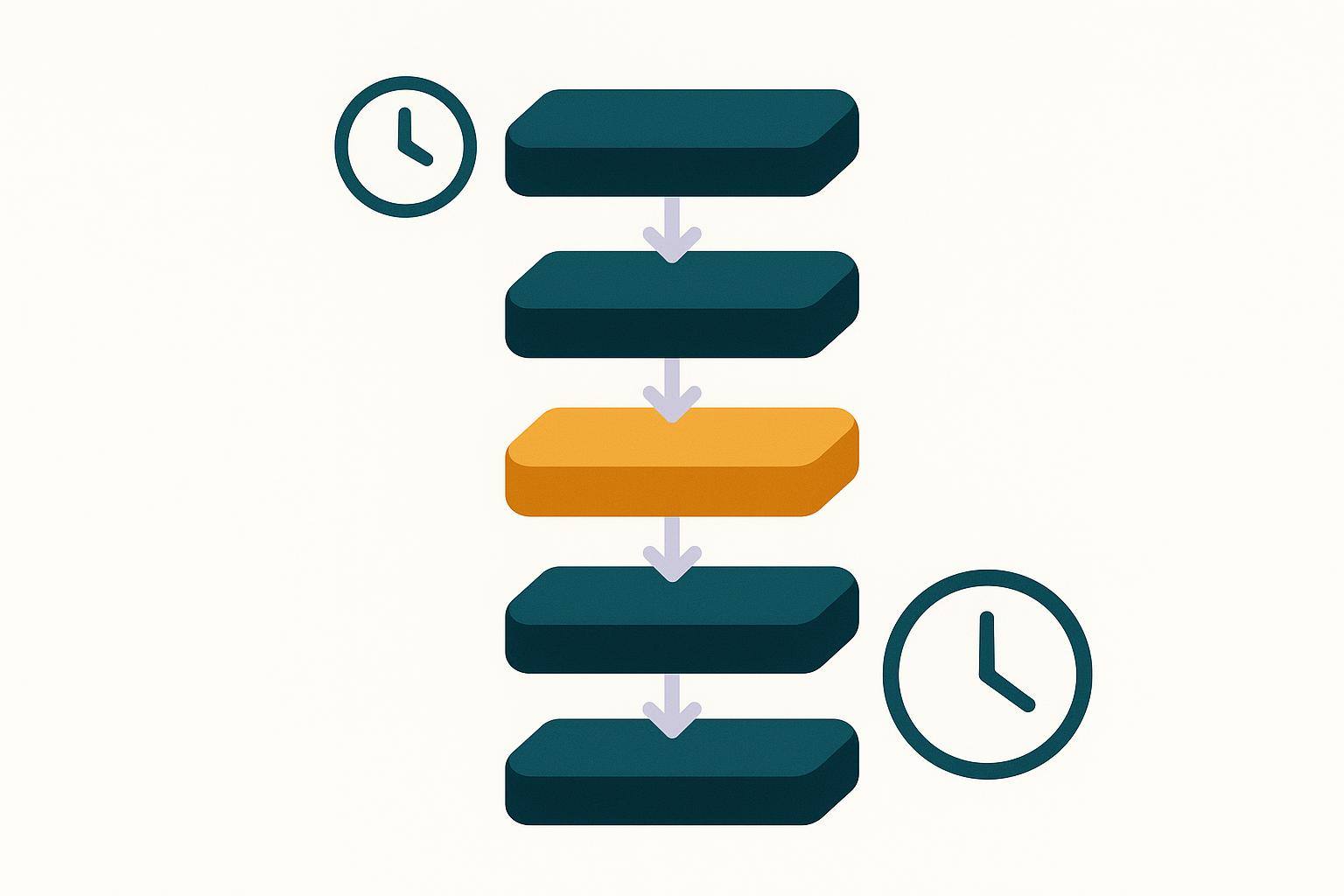
Check it in this order
1. One agent, or everyone? (30 seconds)
Open the same embedded app in a second browser on the same machine. Then message one teammate and ask them to open it on theirs.
This single fork decides everything downstream. Works in browser two → the problem lives in browser one’s profile, and you can stop thinking about the CRM. Dead for the teammate too → it is platform-side, so report it with the details from step 5 rather than spend an hour debugging what you cannot fix.
Do this first every time. It costs half a minute and it decides which half of this page you can skip.
2. The connection between the app and the CRM (2 minutes)
If it is dead for everyone, check whether the app’s authorization to your CRM is still good. Tokens expire, admins get removed, integrations get disconnected during unrelated cleanups. In the app itself it is usually a "reconnect" or "reauthorize" action.
It earns its two minutes because an agent can neither see it nor fix it, so nobody finds it by accident. If you have never walked your setup end to end, the Follow Up Boss AI setup checklist is the short version.
3. Browser privacy settings — the check almost nobody runs (2 minutes)
If step 1 said "just this browser," start here rather than anywhere else.
Every embedded app in Follow Up Boss runs inside a frame served from a different domain than followupboss.com. That is by design — the frame gets a signed, scoped context rather than free run of your CRM (we wrote up how that signing works in Follow Up Boss security features explained). It also means the browser classifies that frame as a third party, and third parties are what a decade of browser privacy work has been aimed at.
Check these four, in this order:
- Block third-party cookies. Chrome and Edge both offer it as a setting, and Chrome turns it on by default in Incognito.
- Tracking prevention set to Strict. Edge’s is the one that catches people, because it is a single dropdown a well-meaning agent can flip in ten seconds.
- Private / incognito browsing. Some agents live in it. It changes the defaults underneath them without ever saying so.
- Managed device policy. If your brokerage administers the laptops, the setting may not even be visible to the agent — it is enforced from above and greyed out.
The fix is a per-site exception for the embedded app’s domain, not turning protection off globally. Chrome, Edge and Firefox all support that exception, so keep the strictness everywhere else. Safari is the exception to the exception: it blocks cross-site cookies by default across the board (WebKit) and offers no per-site cookie exception an agent can add in settings. A Safari user can still grant an embed access, but only if the app asks for it and they approve the prompt — which means on Apple devices the recourse is the app’s job, not the agent’s. That applies on iPhone and iPad too, where every browser is Safari underneath.
4. Extensions (5 minutes)
Ad blockers, privacy extensions, and enterprise security agents all do a version of step 3, less predictably and with no setting to point at. Disable them for the CRM tab and reload. If that fixes it, re-enable them one at a time to find the culprit, then allowlist the one domain.
5. Escalate with three facts, not one sentence
"It’s not working" starts a twenty-minute conversation. These three start a fix:
- Browser and OS, exact. "Edge on Windows 11," not "my computer."
- The step-1 result. Just you, or everyone? Which other browser did you try?
- What is dead and what is alive. Frame renders but composer is inert? Status green or red? Contact card present? The combination is the diagnosis.
A screenshot of the browser console (right-click → Inspect → Console) beats any description.
Why blocked storage breaks an embedded app so quietly
The failure mode in step 3 is counterintuitive, which is why these bugs survive so long in the wild.
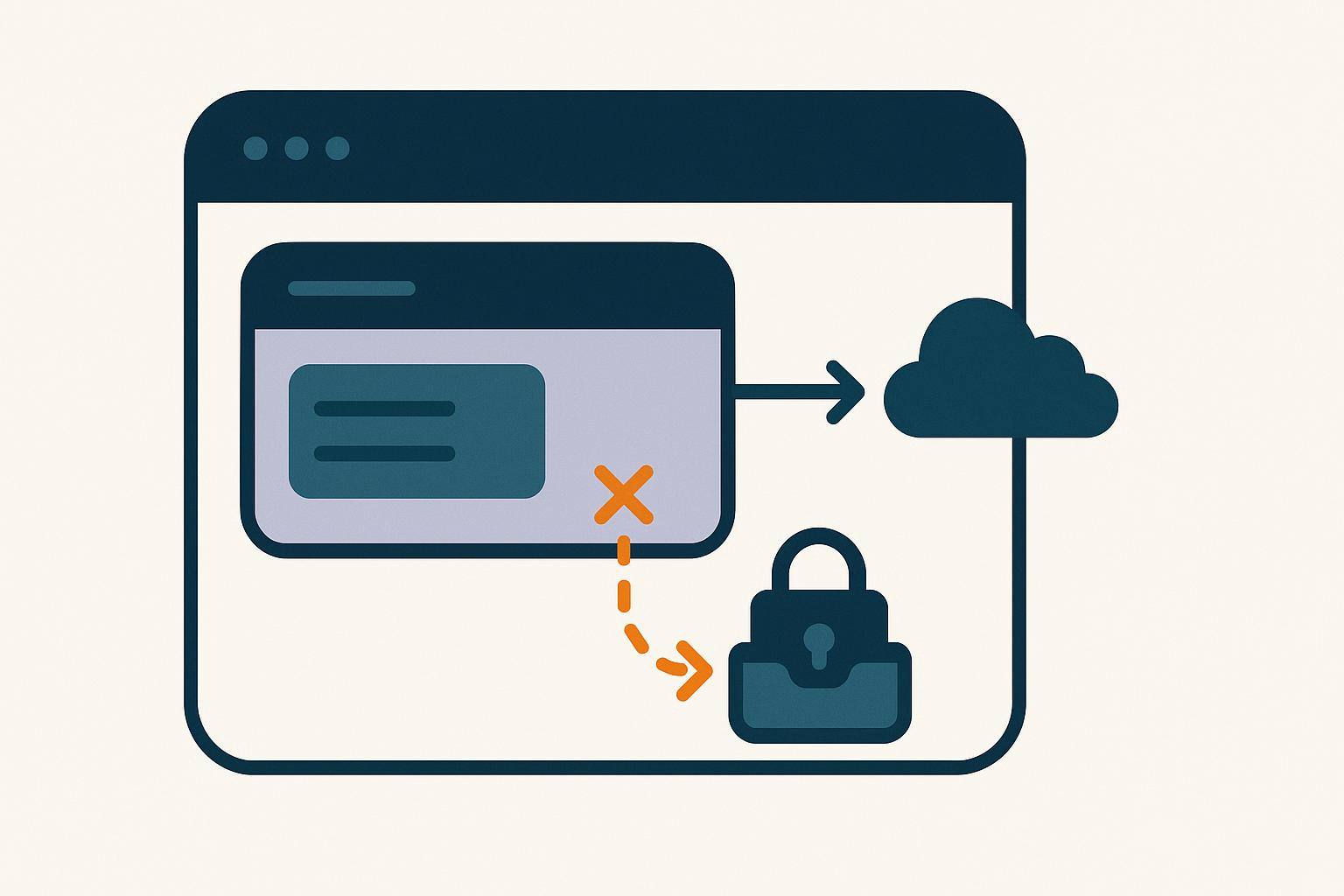
When a browser refuses a third-party frame access to browser storage, it does not hand back an empty value. It raises an error. Mozilla’s documentation is direct about it: access throws a SecurityError when "the request violates a policy decision," and notes that "if the user blocks cookies, browsers will probably interpret this as an instruction to prevent the page from persisting data" (MDN, Window: localStorage property).
An error, not an empty value. That distinction is the whole bug. Code written to handle "no saved value" handles an empty value gracefully and dies on an exception — and when the exception lands early in a startup routine, everything below it never runs. The connection, opened a step earlier, stays up. The status stays green. Nothing else happens.
Worth separating, because the two get conflated: partitioning is not blocking. Firefox has partitioned third-party storage by default since Firefox 103, and partitioning gives the frame its own isolated bucket per top-level site rather than refusing it (MDN, State Partitioning). A partitioned app works and simply forgets things across sites. A blocked app throws. Only the second one produces the dead composer.
And to correct a common assumption: Chrome did not remove third-party cookies. Google abandoned the deprecation plan in July 2024 and confirmed in April 2025 that no replacement prompt is coming, so they remain on by default, governed by user settings (Cookiebot). Which is exactly why this is a per-agent problem rather than a per-browser one. It depends on what that individual flipped.
We shipped this bug ourselves
The August 4th report was against our own widget, and the cause was the failure above, in our code.
Two places on our startup path touched browser storage without guarding for the exception. One was among the first things done by the routine that hands our server the contact the agent has open — the context arrives from Follow Up Boss into the frame, and the frame has to pass it along before anything else happens. On a browser blocking third-party storage, that line threw. Our server never got the context, the controls were never enabled, and the composer sat dead while the status indicator cheerfully reported a live connection. Identical after a refresh, because it failed the same way every time.
We fixed it on August 4th by routing every storage read and write in the embed through a wrapper that cannot throw. A blocked browser now loses persistence — it forgets some preferences between sessions — and keeps the product. The fix is pinned by a test suite that pulls the real code out of the page template rather than a copy of it, so a future edit that reintroduces the pattern fails the build instead of reaching an agent.
Two honest notes. An earlier fix we shipped for the same reported symptom changed nothing for that user, because the code it patched sat inside the routine that was already throwing — we fixed the wrong layer first. And we do not know how many agents hit this before one reported it. The failure is silent by construction: no error, no ticket, just a tool that quietly stops working. Any count we gave you would be invented.
What this checklist does not fix
Blocked browser storage breaks things that run in the browser. Everything server-side is unaffected, which is useful to know at 9pm when an agent’s embed is dark.
- Still works: scheduled scoring, webhook-driven updates, CRM field writes, push and email notifications. None of it touches the agent’s browser.
- Also still works: the Companion, because it opens as its own window rather than a frame inside the CRM — which makes it first-party, and out of scope for third-party restrictions. Same for reaching the same tools from Claude or ChatGPT. If an agent is blocked in the embed and you need them working today, that is the door.
- Not covered here at all: integrations that fail server-side — Zapier, custom webhooks, portal lead sources. Different failure class, different checklist: troubleshooting Follow Up Boss integrations.
The message to paste into your team chat
Most teams do not have a diagnostic culture. They have a text-the-team-lead culture. Give people four lines instead:
If an app inside Follow Up Boss loads but won’t work, before you message anyone:
1. Open it in a different browser. Does it work there?
2. Check your browser’s privacy settings — "block third-party cookies," tracking prevention set to Strict, or an incognito/InPrivate window will all break embedded apps. Add an exception for the app’s site instead of turning protection off.
3. Turn off ad blockers and privacy extensions for the CRM tab and reload.
4. Still broken? Send me: your exact browser and OS, whether it works in another browser, and what’s dead vs. alive on screen.
Pin it. It resolves most of these without you.
The part worth keeping
Every tool your team runs inside the CRM is a third-party frame, and browser privacy settings are the one variable that differs per agent, changes without warning, and is invisible to the vendor. When one person’s embed is dead and nobody else’s is, look there first.
The other half is on us. An app that cannot save a preference should lose the preference, not the product — and it should say something when it fails instead of presenting an interface that looks fine and does nothing. We got the first part right on August 4th. The second is still on our list.
If you run a team on Follow Up Boss: how do you find the failures nobody reports? Not the ones that page you — the ones where someone quietly stops opening a tab. We do not have a good answer to that yet, and we would like to hear from teams that do.
Try Follow Up Ace in your Follow Up Boss
Free to start, no sales call. Connect Follow Up Boss in one click and Ace works inside your CRM.
Get Started Free