Paste one URL. Sign in with the email on your Ace Pro seat. Done. Your AI assistant works with the contacts, deals, stages and tags your own Follow Up Boss login can see — the same permissions FUB gives you — plus the Ace layer a plain API wrapper can't ship: per-contact memory, daily brief, Ace Trove reads, compliance scanner, knowledge graph, and predictive prompts — 189 tools live in claude.ai.
Before you start: Connectors require an Ace Pro seat ($55/mo). If you haven't yet, sign up free — your admin connects FUB once and your whole team gets free Ace accounts. Then, if your team pays for your seat, ask your admin to move you to Ace Pro from the Seats page (takes a minute); if you pay for your own seat, upgrade it yourself. Each agent also connects their own Follow Up Boss login in Ace once, so the connector only sees what Follow Up Boss lets you see.
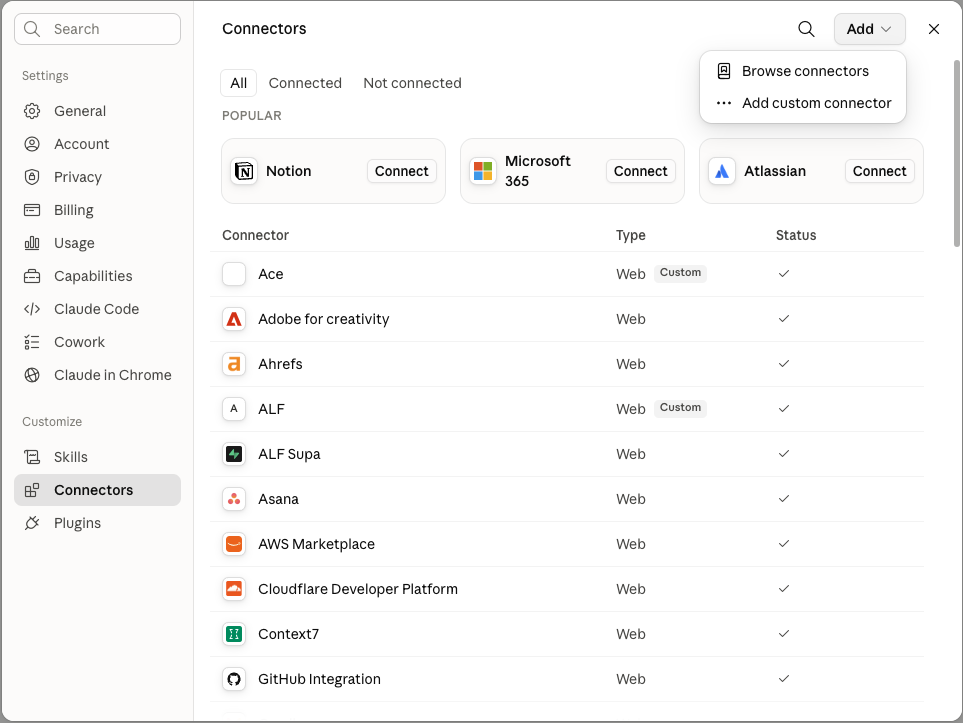
Sign in to claude.ai on any device. Click your profile, open Settings, and pick the Connectors tab. Hit Add, then choose Add custom connector.
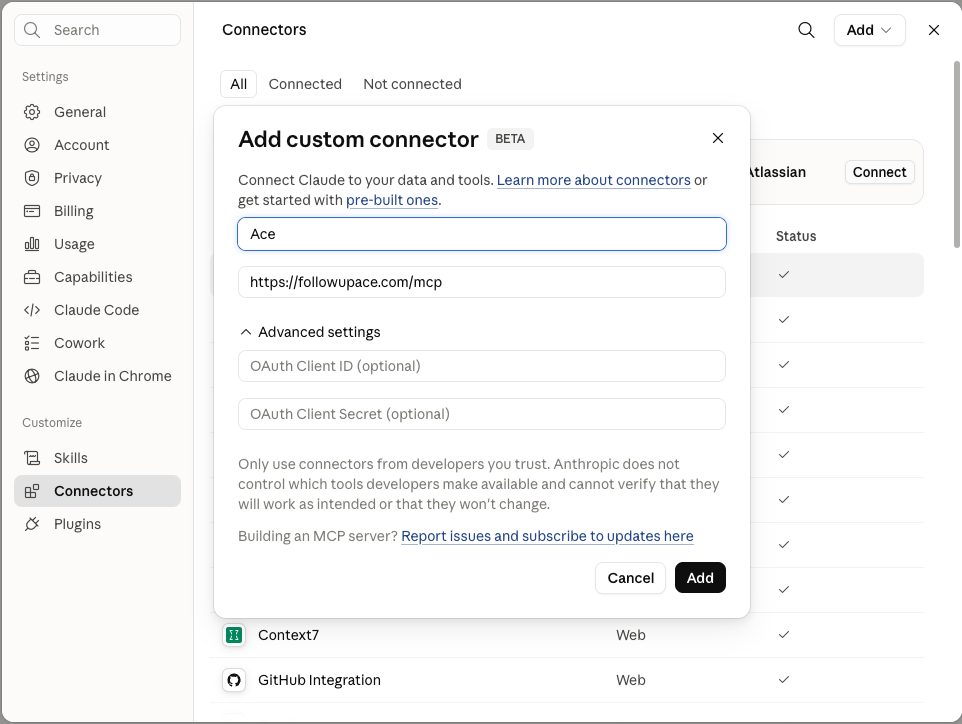
Name it Ace and paste the URL.
Type Ace as the name, then drop this into the URL field. Leave the optional OAuth Client ID and Secret fields blank — Ace handles sign-in for you. Click Add.
https://followupace.com/mcp
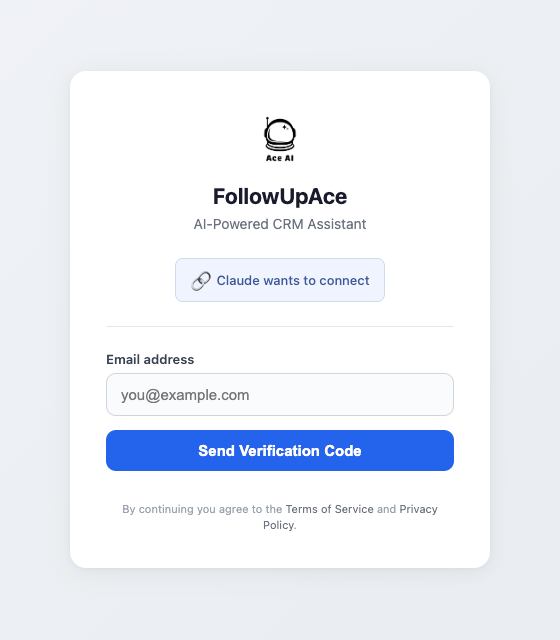
Sign in with the email on your Ace Pro seat.
Claude opens the FollowUpAce sign-in — "Claude wants to connect." Use the email on your Ace Pro seat (normally the work email you use in Follow Up Boss). A 6-digit verification code is mailed to that inbox — paste it back in. No FUB API key, no developer setup.
Connect your own Follow Up Boss login (one time).
Open Ace inside Follow Up Boss (or, in the Ace workspace, Settings → Integrations) and click Connect as yourself, authorizing with your own Follow Up Boss login. The connector answers through it, so it only sees the contacts Follow Up Boss lets you see. Until you do, your first CRM request will ask you to connect.
What you can ask Claude after connecting
Find every Zillow lead I haven't called in 3 days, build a triage list, schedule a call task for the top 5.
Show me my pipeline at risk this week with GCI estimates.
Draft a follow-up to Sarah Carter referencing her last 3 emails and the Hartman listing.
Run my morning triage.
Pull every memory fact I've stored about the Wilsons before the call.
Scan this draft text for Fair Housing issues before I send it.
Read me today's daily brief.
Search my notes for every contact who mentioned a dog.
Why install Ace's MCP instead of FUB's?
Follow Up Boss publishes a REST API but no official MCP server (docs.followupboss.com/reference, checked Aug 2026), so every FUB MCP surface today is third-party. Those community servers wrap the same CRUD API — the largest we've found, mindwear-capitian/followupboss-mcp-server, lists 160 tools (counted in its source, Aug 2026). Ace adds the AI layer on top: per-user agent memory that follows you across surfaces, per-contact memory facts, Ace Trove (slip alerts, GCI-at-risk, contact scores), compliance scanning, knowledge graph, predictive prompts, daily brief, and composite reasoning workflows. Power users pick the MCP that does what their AI assistant actually needs — which is the AI part, not the CRUD part.
Permissions & access
Per-Pro-user OAuth. Agent permissions inherit from your FUB role — admin OAuth gets admin scope; agent OAuth gets agent scope. JWT tokens are revocable any time from your Ace dashboard. We never train public models on your data. In the Ace chat, contact emails and phone numbers are tokenized before the model sees them; what you ask Claude or ChatGPT through the connector goes to that AI client under its own data terms. Every vendor that processes CRM text is named on our Sub-processor page.
Ready? Open claude.ai and paste the URL.
60 seconds. Free to start — Ace Pro seat ($55/mo) required for the Connector flow.