A Follow Up Boss iPhone app for the thirty seconds between showings
The Follow Up Ace iPhone app is a free iOS app that sits on top of Follow Up Boss. Open it and your book is already ranked — the person to work next is at the top, with a drafted message waiting. You tap Send from your own number, and the send lands back on the Follow Up Boss timeline. It is iPhone and iPad only, iOS 15 or later.
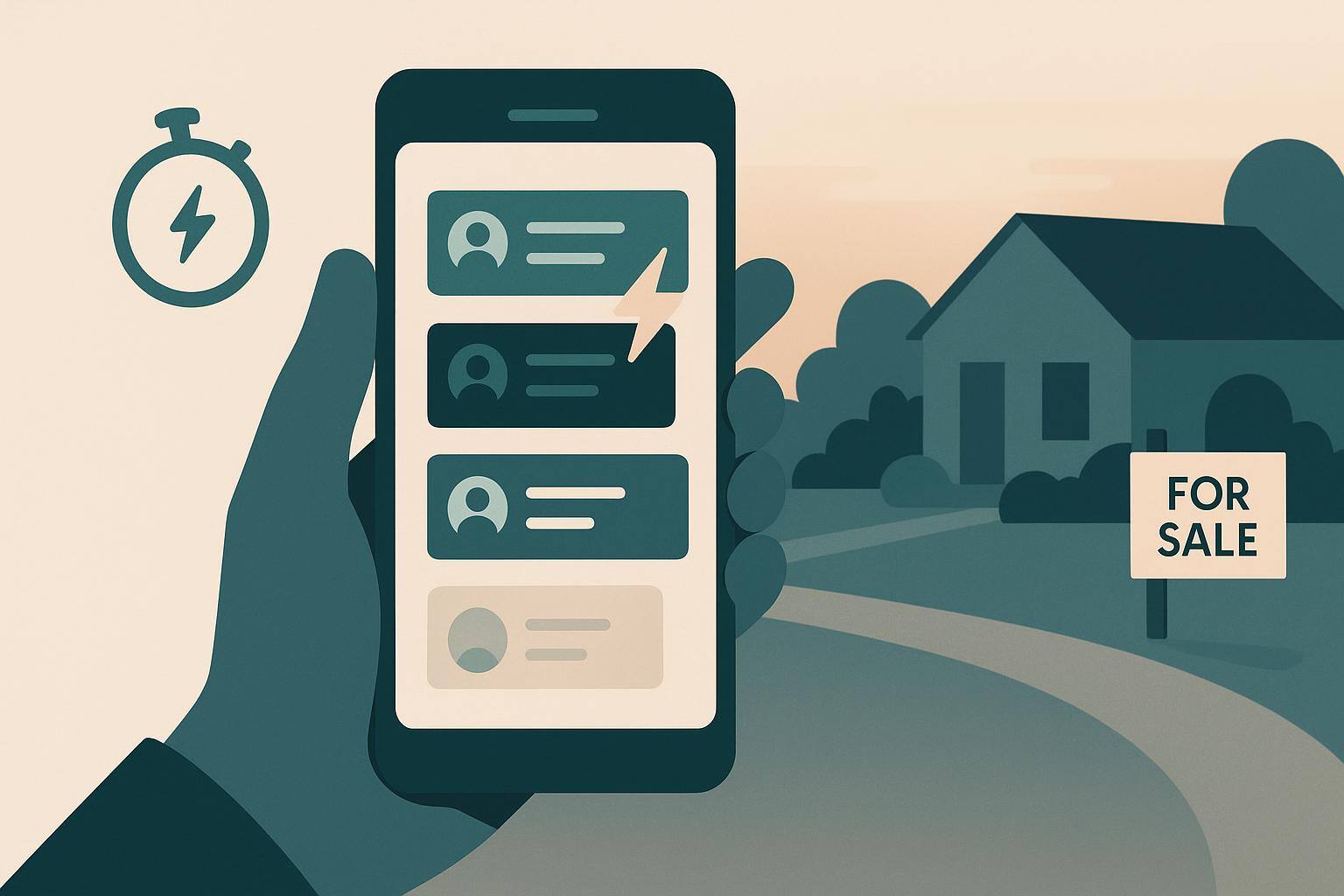
It is 6:10, you are in the car between two showings, and a lead you paid for came in ninety seconds ago. You have a real choice to make, and it is not a small one. You can open Follow Up Boss on your laptop tonight, when the trail is cold. Or you can thumb-type something forgettable at a red light. Neither is the follow-up that wins the deal.
That gap — the one between when a lead arrives and when you actually reach them — is where most real estate follow-up quietly dies. We shipped a free iPhone app for Follow Up Boss on July 28, 2026, built for exactly that gap. This post is less about the app and more about what a CRM assistant on a phone should actually do, because that turns out to be a short and surprisingly opinionated list.
Why the follow-up that matters happens on a phone
The numbers on speed have not moved in twenty years. In the MIT / InsideSales Lead Response Management study, calling a web lead within five minutes rather than thirty made you roughly 100 times more likely to reach them and 21 times more likely to qualify them (MIT Lead Response Management study, Dr. James Oldroyd). Thirty minutes is not a long time. It is the length of one showing.
So the honest constraint is this: the moments that decide a lead happen when you are away from your desk, and the tool that meets you there is your phone. Not a better dashboard. Not a smarter report you will read on Sunday. A phone, in your hand, that already knows what to do. We wrote more about the underlying research in five ways AI assistants improve lead response time; the short version is that speed beats polish, and speed lives on mobile.
What a Follow Up Boss app on your phone should actually do
A phone is good at one thing a laptop is not: it is already in your hand in the thirty seconds you have. So the app is built around a single loop, not a menu. Open, read, send, log — then back to the top of the list.
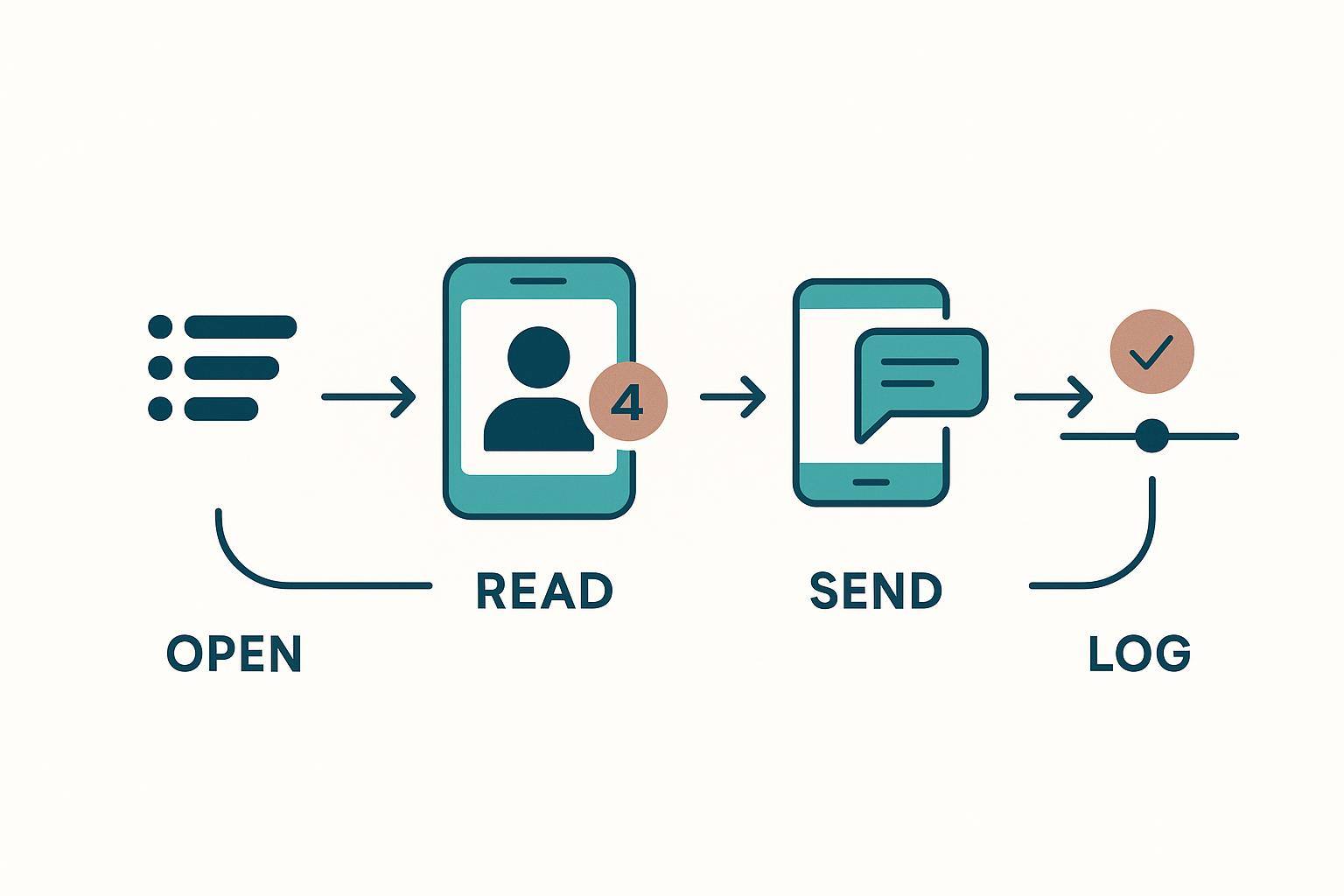
Concretely, the four jobs look like this:
- Open → a ranked queue, not an inbox. The app opens on NOW: the one person to work, and the brief that explains why they are first. NEXT is the rest of the book behind them, already ordered. Your team lead sets the ranking rules; the app just shows you the answer instead of making you sort a list at a stoplight.
- Read → the reason they are at the top. Tap a name and you land on why they matter this minute — the recent signal, the risk, the one move Ace recommends — not a wall of history you have to skim.
- Send → the words, already written. There is a drafted text, email, or call script waiting, with chips to make it shorter, friendlier, or more direct before it goes.
- Log → the receipt. The moment you send, the app writes it back to the Follow Up Boss timeline, so your history — and your team lead's reporting — stays complete.
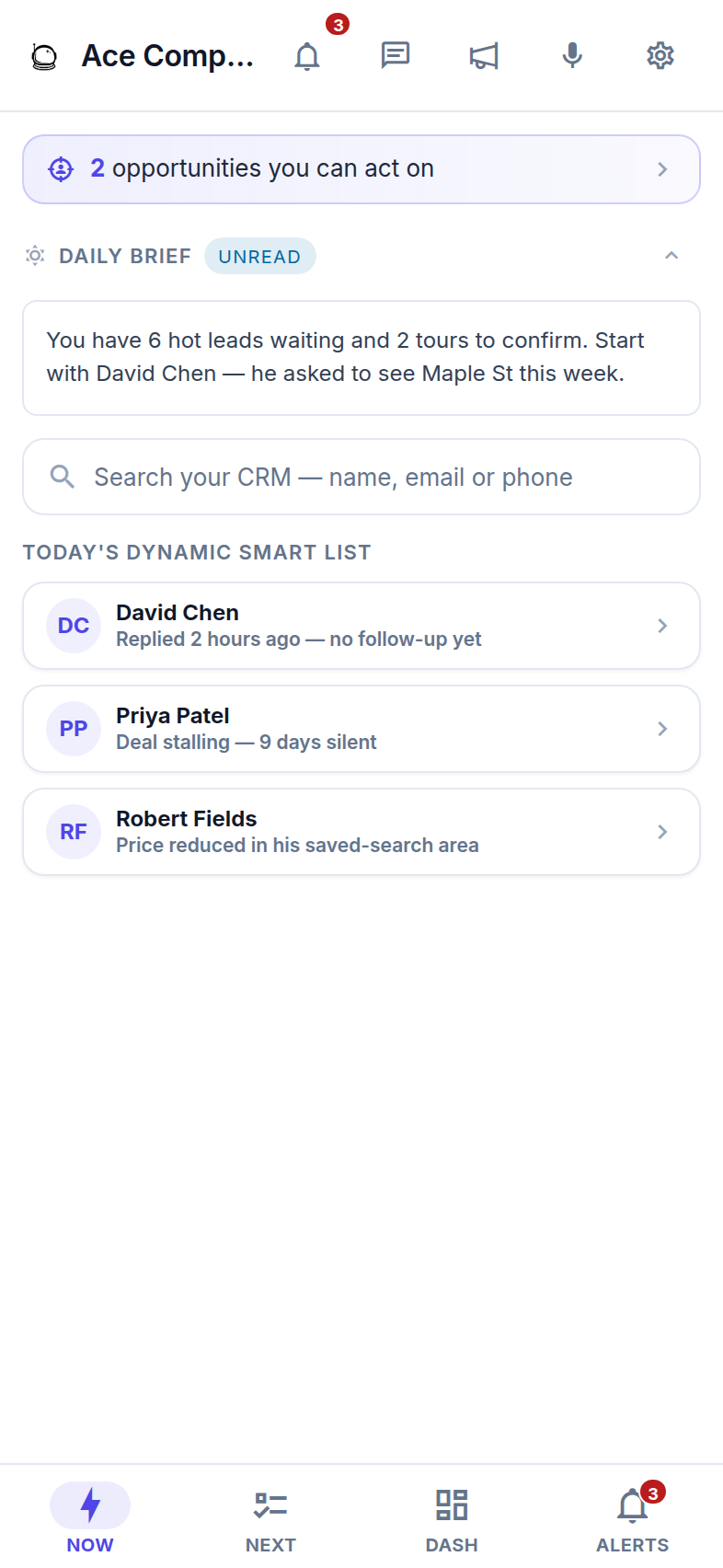
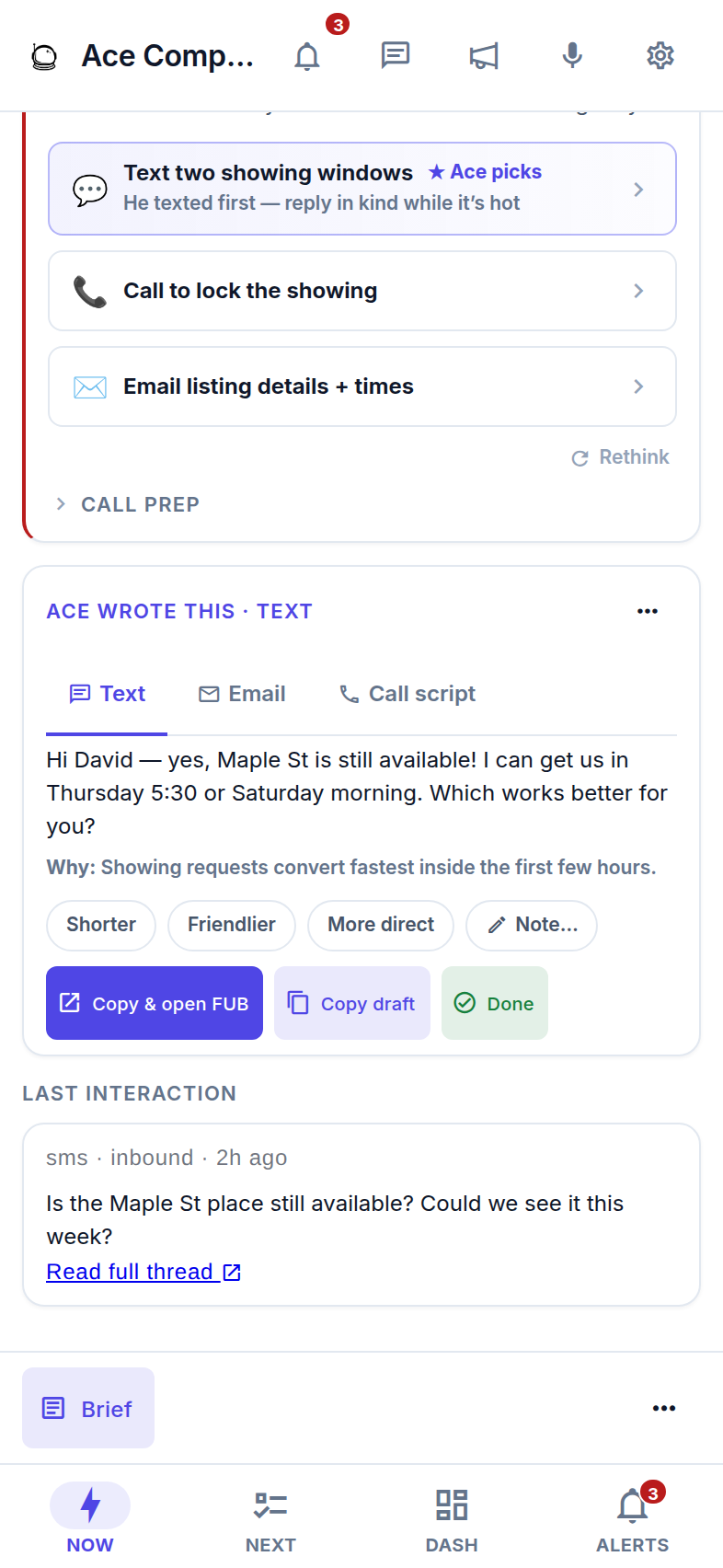
This is the same ranking that drives the Companion on the web and desktop — one queue, wherever you open it. If you have used Follow Up Boss's own mobile app to work your pipeline on the go, think of this as the layer that answers a different question: not "what is on this contact," but "who do I work, and what do I say."
The part most "AI" apps get wrong: it does not send for you
Here is the line we will not cross, and it costs us a demo-friendly feature to hold it. The app has no silent-send path. Ace writes the draft; the iPhone's own Messages composer opens with it pre-filled; you tap Send. The text goes out from your real number, so the reply comes back as a normal conversation, not a thread the recipient files under marketing.
That is a stance, not a limitation we are working around. An assistant that fires texts on your behalf is an assistant that can embarrass you at your own number, and it is the fastest way to train your database to stop replying. Your tap is the human in the loop, on purpose. If you want the honest version of what autonomous "AI that texts your leads" tends to look like in practice, that missing Send button is the whole difference.
The receipt matters as much as the send. If the timeline write ever fails, the app tells you and offers a retry — the text already went out, and a missing record is the failure we would rather own loudly than hide.
A CRM app that cries wolf gets deleted
The second thing a phone app has to get right is restraint. Push notifications are the one part of a CRM that lives on your lock screen, and the first app that buzzes you at 11 PM about nothing is the app you delete on the drive home. So the app stays deliberately quiet. The two banners tied to Ace's own initiative are both about work you have to do right now, and the rules for them are fixed in code, not left to a settings maze:
- A new lead was assigned to you. This one ignores quiet hours on purpose — a 10:40 PM inquiry is the whole reason speed matters, and it is not something to sit on until morning.
- Ace drafted something and is holding it for you. This one respects quiet hours: it goes silent from 9 PM to 8 AM on your phone's own clock, not a server's. A prepared draft can wait for breakfast.
If your team lead runs automations, those can raise an alert banner too — a lead reassigned to you, a task coming due — and they follow the same quiet-hours rule. Everything you already handled elsewhere — a suggestion you cleared on your laptop, a status that changed on its own — syncs in the background without a buzz. If you are still assembling your alert setup across FUB and its integrations, our checklist for real-time alerts in Follow Up Boss and the guide to cross-platform notifications pair well with this.
The honest checklist before you download
Screenshots sell the good parts. Here is the part that saves you a one-star review — what the app needs, and what it deliberately will not do.
| Before you tap "Get" | The honest detail |
|---|---|
| An iPhone or iPad on iOS 15.0+ | Filed under Business, rated 4+, priced Free on the App Store. iPhone and iPad only. |
| A Follow Up Boss account with an Ace seat | There is no sign-up screen in the app. Seats are created when your team connects Follow Up Boss to Follow Up Ace, which brings the whole roster across at once. Free seats can sign in. |
| Your work email, no password | Type the address your team uses in FUB; Ace emails a 6-digit code. No code means that email is not on an active seat yet — ask your admin. |
| No Android build | iPhone and iPad only, with no Android release date to announce. Android and desktop use the browser Companion, a home-screen-installable web app. |
| No buying anything inside the app | Apple's rules require in-app digital purchases to route through Apple, so we turned buying off on iOS entirely: no prices, no upgrade buttons. Plans are managed on the web at followupace.com/pricing. |
That last row is the one people rediscover at the worst moment, so we would rather you read it here: if you want to change plans, you do it in a browser, not in the app. Voice chat, where a Pro seat has it, is read-only by the same principle — it answers and prepares the draft; you still send. And the app reaches the same account three other ways that all share one memory: embedded inside Follow Up Boss on desktop, the browser Companion anywhere, and Claude or ChatGPT through the MCP connector on Pro seats.
Where it fits next to the Follow Up Boss app
Keep the Follow Up Boss app. It is your CRM in your pocket — pipeline, records, call and text history, tasks. That is where your data lives, and Follow Up Ace does not ask you to move any of it. The two apps answer different questions, and most agents run both: FUB answers what is on this contact, and Follow Up Ace answers who do I work, and what do I say. It reads and writes through Follow Up Boss, so nothing gets migrated and nothing gets duplicated.
Frequently asked questions
Is there a Follow Up Boss app for iPhone?
Follow Up Boss publishes its own mobile app, and Follow Up Ace publishes a separate free iPhone app. They do different jobs. The FUB app is your CRM in your pocket; the Follow Up Ace app is the AI layer on top — it ranks your book, drafts the message, and logs the send back to the FUB timeline. Most agents keep both installed.
Does the app send texts automatically?
No, and that is deliberate. Ace writes the draft; the iPhone's Messages composer opens pre-filled and you tap Send from your own number. There is no silent-send path in the app at all. The send is then recorded on the Follow Up Boss timeline.
How much does it cost?
The app is free to download. It signs you in to the Ace seat your team already has, so what you see depends on that seat. There are no in-app purchases — plan changes happen on the web.
Is there an Android version?
Not today, and there is no Android release date to announce. Android and desktop users get the same workspace in the browser Companion at followupace.com/companion, a Progressive Web App you can add to your home screen.
What notifications does the app send?
Two come from Ace's own initiative: a new lead assigned to you (never held back), and a draft Ace is holding for you (silenced during your local quiet hours, 9 PM to 8 AM). If your team runs automations, those can raise an alert banner too — a reassignment or a task coming due — under the same quiet-hours rule. Everything you already handled elsewhere syncs in the background without a buzz.
Put your ranked queue in your pocket
The Follow Up Ace iPhone app is free on the App Store. Sign in with your work email and a 6-digit code — your queue is already waiting. See what the app does, screen by screen, then download it before your next showing.
Get it free on the App Store