Connect Ace to Claude in 60 seconds.
Paste one URL. Sign in with your FUB email. Done. Your AI assistant gets live access to every contact, deal, stage, and tag inside Follow Up Boss plus the AI layer FUB's official MCP can't ship: per-contact memory, daily brief, Ace Trove reads, compliance scanner, knowledge graph, and predictive prompts — 130+ tools live in claude.ai.
-
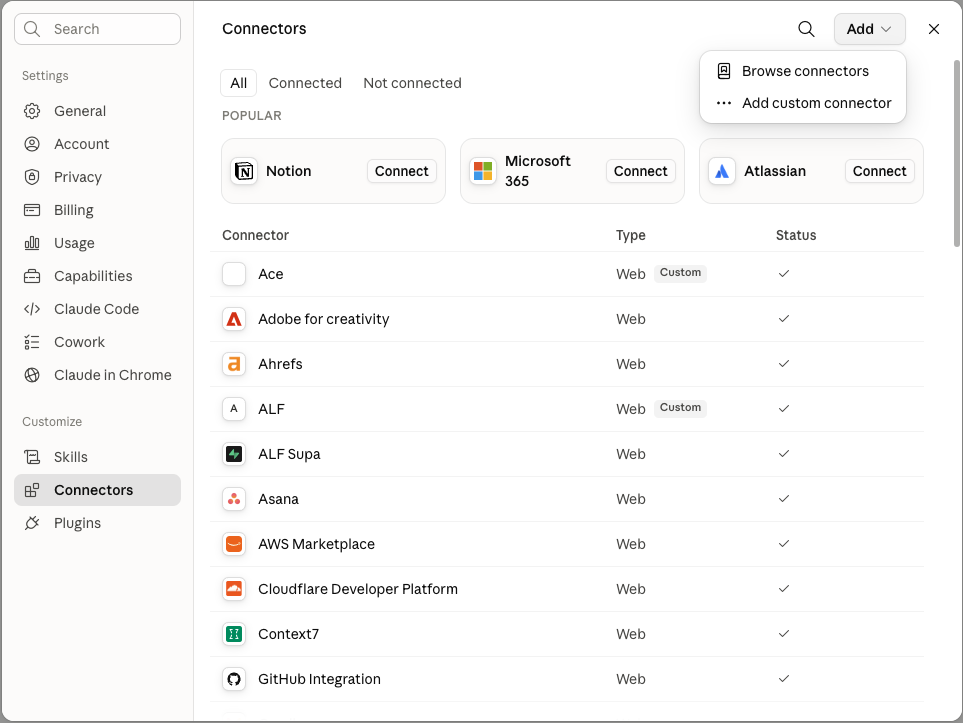
Open claude.ai → Settings → Connectors → Add → Add custom connector.
Sign in to claude.ai on any device. Click your profile, open Settings, and pick the Connectors tab. Hit Add, then choose Add custom connector.
-
Name it Ace and paste the URL.
Type Ace as the name, then drop this into the URL field. Leave the optional OAuth Client ID and Secret fields blank — Ace handles sign-in for you. Click Add.
https://followupace.com/mcp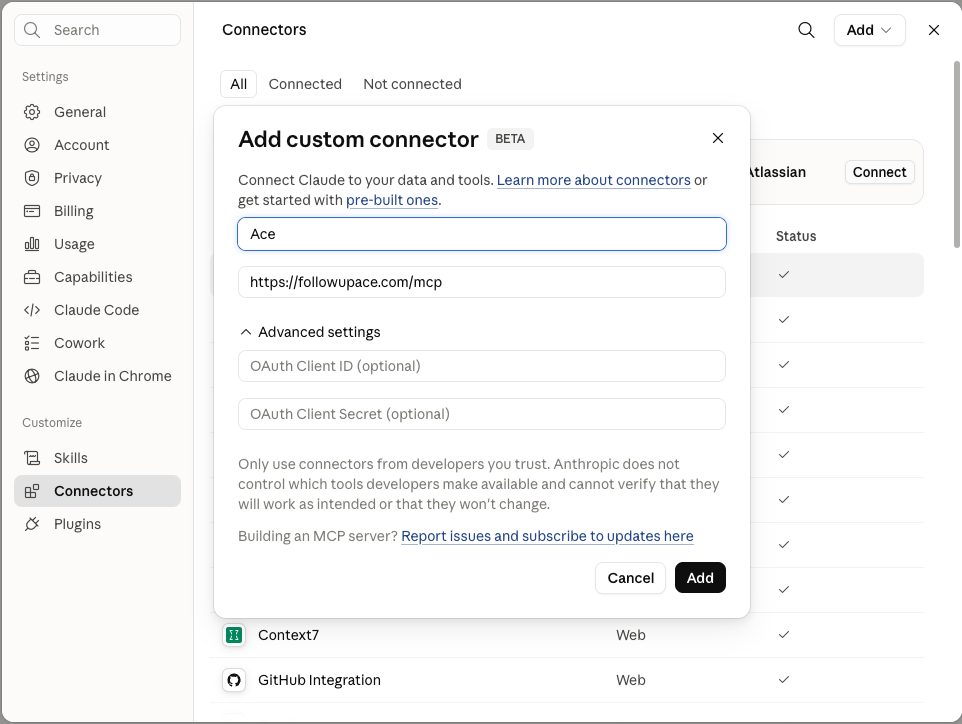
-
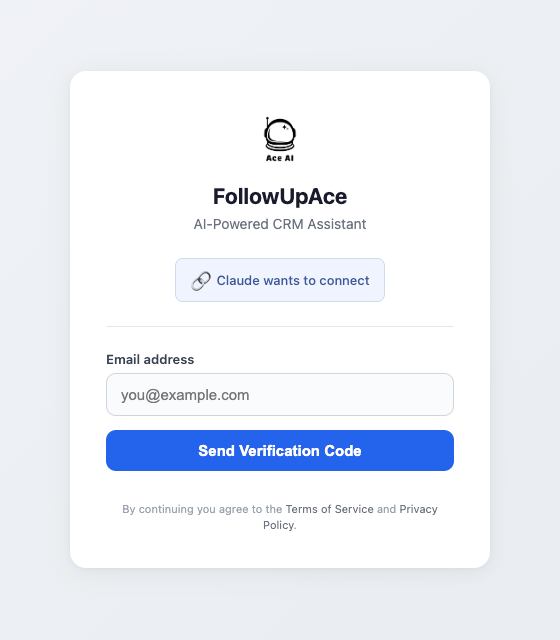
Sign in with your FUB email.
Claude opens the FollowUpAce sign-in — "Claude wants to connect." Use the same email you log into Follow Up Boss with. A 6-digit verification code is mailed to that inbox — paste it back in. Claude is now connected to your CRM. No FUB API key, no developer setup.
What you can ask Claude after connecting
Ready? Open claude.ai and paste the URL.
60 seconds. Free to start — Ace Pro seat ($55/mo) required for the Connector flow.
Open claude.aiPower user? Install Claude Desktop →