
Admin Onboarding: Setup, Seats & Rollout
Updated July 29, 2026
Follow Up Ace is an AI assistant that lives inside Follow Up Boss — reading your CRM, drafting follow-ups, creating tasks, and coaching next actions without anyone leaving the tool. This guide takes an account admin from zero to fully operational.
Step 1 — Connect Follow Up Boss
- Sign in to the admin dashboard at followupace.com/admin.
- Go to Account Setup → Connect FUB.
- Click Connect Follow Up Boss — you're redirected to Follow Up Boss for authorization.
- Sign in with your Owner or Admin account and click Authorize.
- You're returned to the dashboard with Follow Up Boss shown as connected.
Ace can't read your CRM or help your team until this is done, so it's the required first step. It takes about a minute and needs an Owner or Admin role in Follow Up Boss.
Step 2 — Assign seats
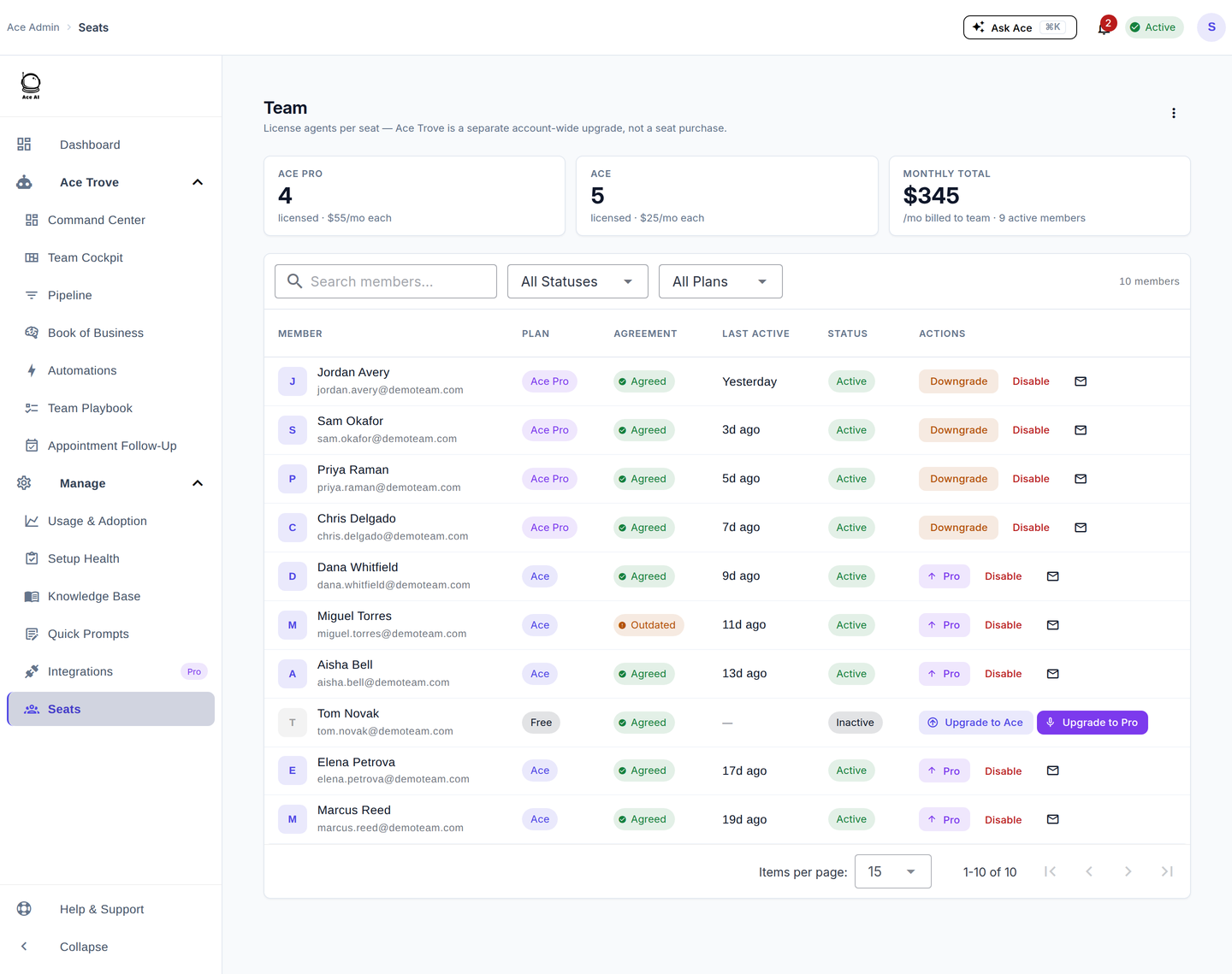
- Go to Seats in the left sidebar — your Follow Up Boss users sync automatically after the connection.
- Turn on the toggle next to each user to activate them, drawing a seat from your pool.
You buy seats from Billing (Ace at $25/mo or Ace Pro at $55/mo per seat). Seats are pooled — assign them from the Seats page, not at purchase time. New accounts may have a trial seat; assign it to yourself first and test the experience before rolling out.
Step 3 — Configure Ace for your team
Go to Assistant Settings to shape how Ace writes for your whole account: your team branding (name, website, phone, markets), the writing style and tone Ace should use, and any special instructions — standing rules like phrases to always or never use. See Configuring Ace's Behavior, Tone, and Branding.
Step 4 — Activate Ace Trove (optional)
Ace Trove is the account-wide intelligence layer for team leads: it scores your whole book for win probability and churn risk, sizes revenue at risk in your own dollars, grades agents on responsiveness, and puts everything the team must act on now into one queue (Command Center). Two predictive fields — Ace Win Score and Ace Churn Risk — populate free on every connected account; Trove unlocks whole-book scoring, four more model-grounded fields, and all the admin dashboards.
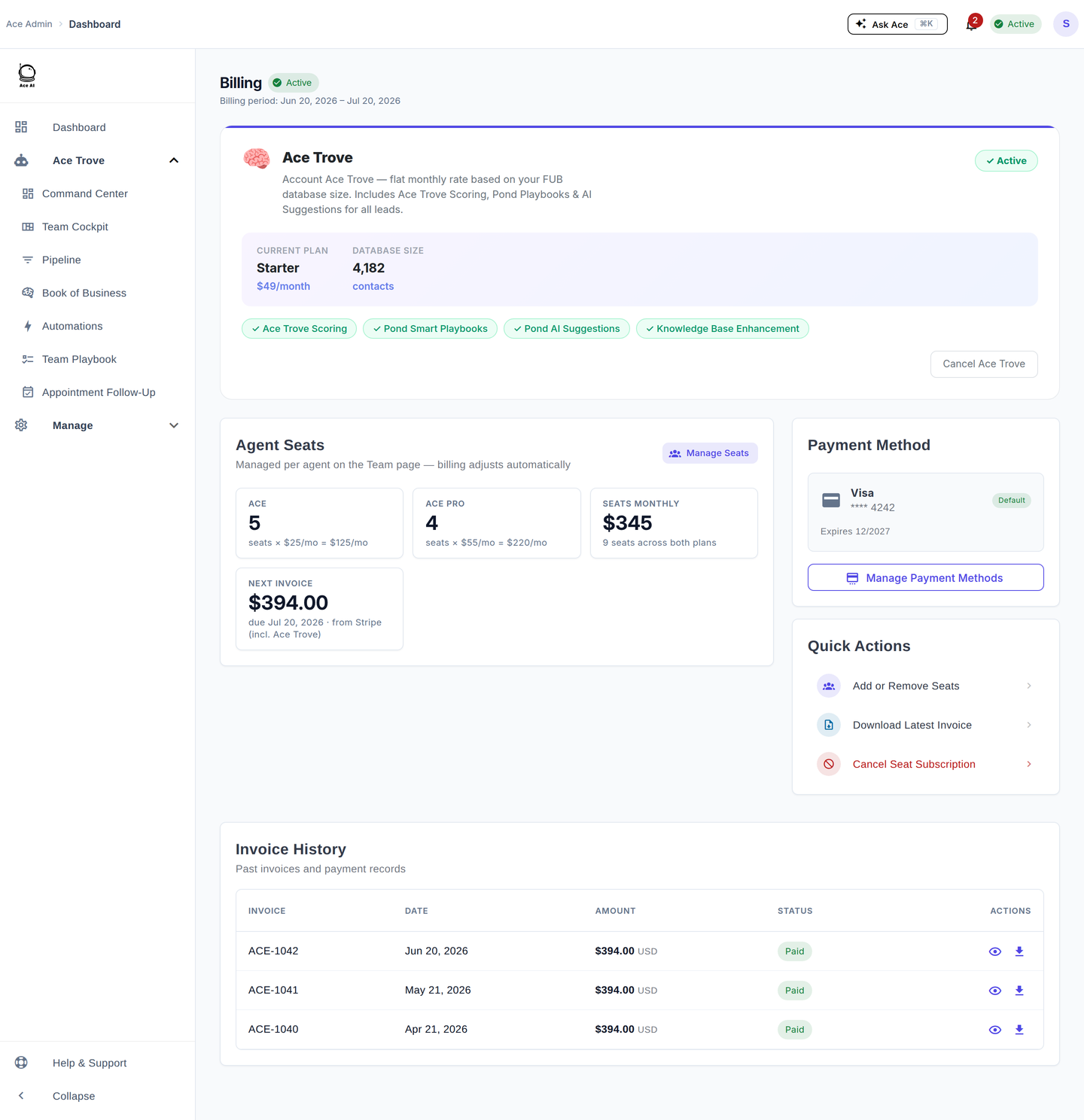
To activate, go to Billing → Ace Trove. Your tier is auto-quoted from your contact count, and the first analysis runs automatically after you confirm.
Plans and pricing
| Plan | Price | Best for |
|---|---|---|
| Ace | $25/mo per seat | Individual agents — full Ace chat, CRM access, task/note creation, email drafting |
| Ace Pro | $55/mo per seat | Power users — adds voice mode, AI-drafted replies, and the MCP connector (Claude / ChatGPT) |
The Ace Trove add-on is account-level (not per seat): a flat monthly price tiered by total Follow Up Boss contact count, from $49/mo (up to 5,000 contacts) to $899/mo (up to 500,000), and Custom above that. Every tier unlocks the same feature set and requires at least one active paid seat. There's no time-limited trial — the Free plan is the evaluation period; upgrading to a paid seat charges the card immediately.
First-week checklist
- Follow Up Boss connected via OAuth
- At least one seat assigned and tested
- Assistant Settings configured (team branding, tone, special instructions)
- Team members assigned to seats and notified
- Agent Quickstart shared with your team
- (Optional) Ace Trove activated and first analysis confirmed complete
Related articles
- Admin Setup Guide
- Billing & Seat Management: Complete Guide
- Getting Started as an Ace User — Agent Quickstart
- Team Startup Guide: Rolling Out Follow Up Ace to Your Team
- Getting Set Up: the Onboarding Wizard and the Ops Hand-Off Link
Last updated: July 2026
Thanks for the feedback — it helps us improve.