
Where Did My Menu Items Go? The 2026 Dashboard Update
Updated August 13, 2026
In the 2026 update we unified the admin dashboard into one product. A few views moved or were renamed. Nothing was taken away — the capabilities live on, usually in a stronger place. Here's where to find each one. Old bookmarks redirect automatically.
"Where did Revenue Guard go?"
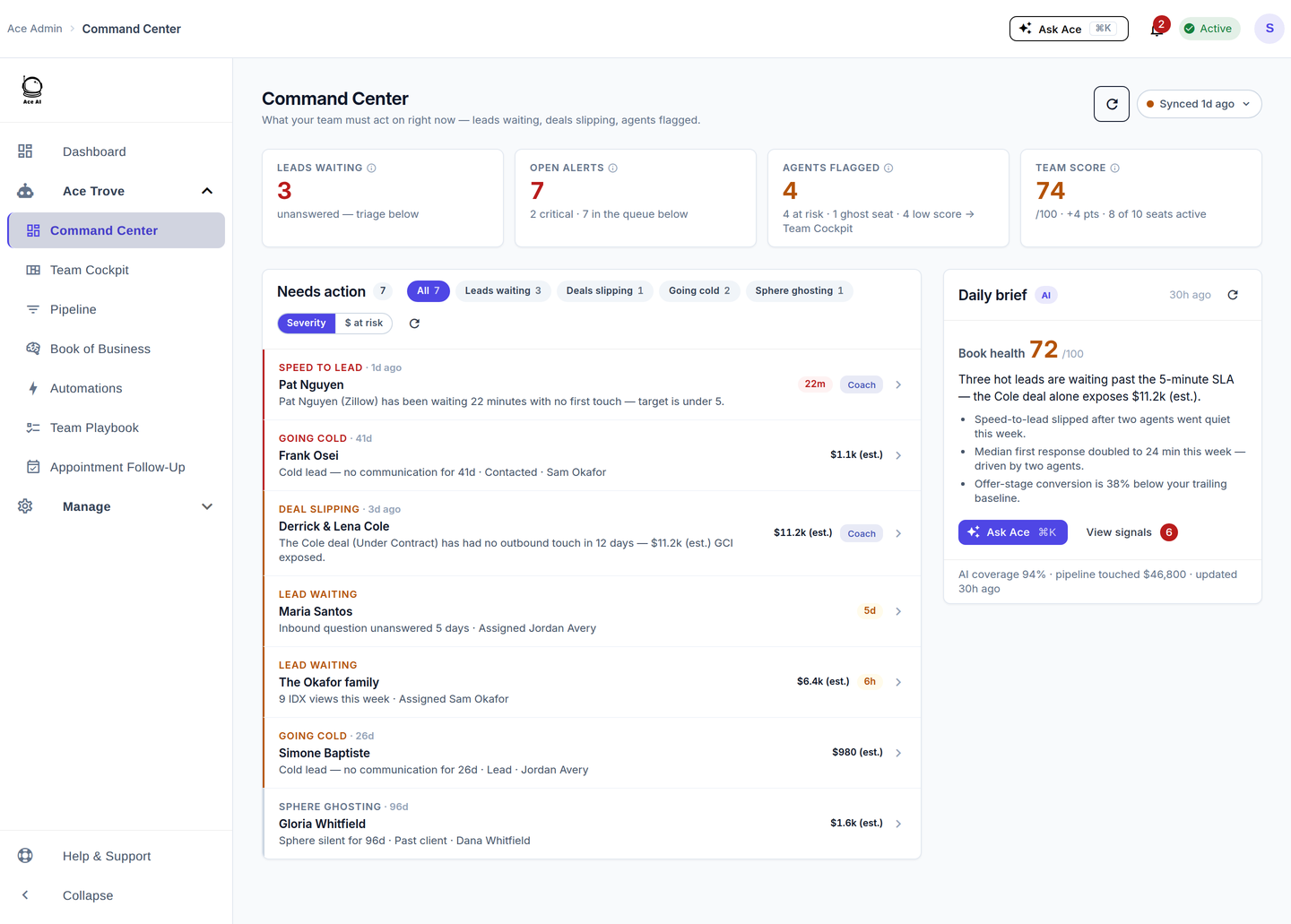
Revenue Guard didn't go away — it moved into Command Center. It's now the "$ at risk" lens on the one Command Center queue: switch the sort from Severity to $ at risk and you get the same ranked, biggest-dollars-first worklist, with filter chips (Leads waiting · Deals slipping · Going cold · Sphere ghosting) and the reason spelled out on every row. The one account-wide "GCI at risk (est.)" number also shows on the Overview, Team Cockpit, and Book of Business.
In short: Revenue Guard is now the dollars-at-risk lens inside Command Center — same numbers, one screen instead of two. Old /revenue-guard bookmarks auto-redirect to Command Center sorted by risk.
"Where did Opportunities / Opportunity Radar go?"
Into Book of Business → Portfolio, as the Opportunity Radar drill-through. The old /opportunity-radar and standalone /seller-radar admin page both redirect to Book of Business → Portfolio. Seller Radar lives there for admins; agents still reach seller intent from the companion and the FUB embed.
"Where did Agent BI / Benchmarks go?"
Merged into Team Cockpit — one per-agent table with production, response time, and flagged-agent detection. "You vs Market" peer percentiles live under Book of Business → Revenue & Rank.
"Where did the Suggestions view go?"
Into Usage & Adoption (the Suggestions tab). The old /ai-suggestions route redirects there.
"Why do the numbers now match everywhere?"
By design — it's a feature, not a coincidence. Every cross-view metric is defined once, one shared fetch feeds every admin view, and a single risk-signal builder feeds every surface. So a person or deal shows the same stage, owner, days-idle, and dollar figure on Command Center, Pipeline, Book of Business, Team Cockpit, the agent companion, and the FUB embed. The same number means the same thing on every screen.
The shipped admin navigation
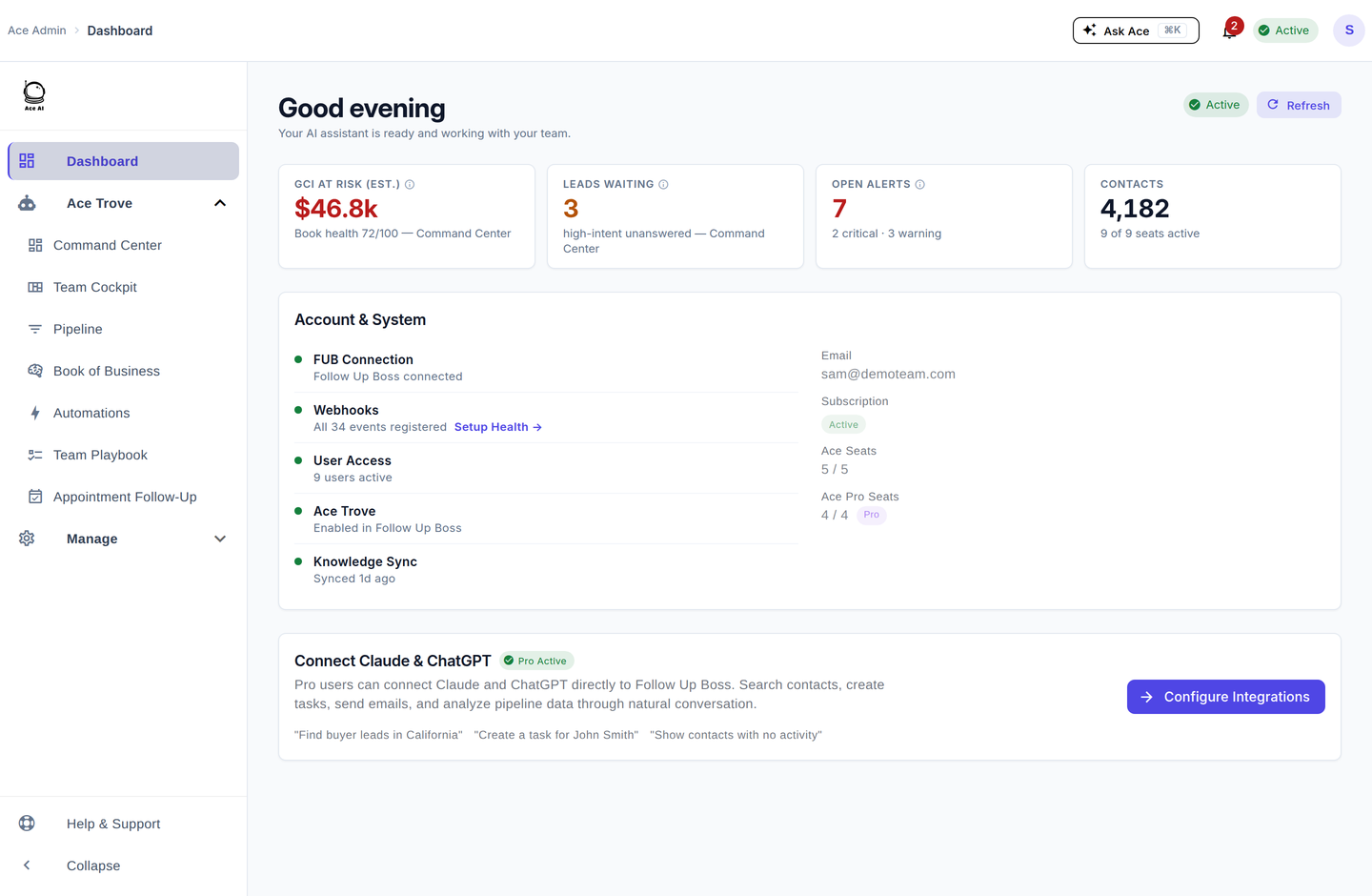
Above the Manage group the nav is: Dashboard · Command Center · Team Cockpit · Pipeline · Book of Business · Automations · Dynamic Smart List · Appointment Follow-Up · Back Office · Capture — everything from Command Center through Back Office is the Ace Trove group; Dashboard and Capture are standalone rows. If you remember separate Lead Magnets, Ace Forms, Client Packets or Ace Pages rows, they are now tabs inside Capture — every old link still works and lands on its tab. If you remember a "Revenue Guard," "Opportunities," "Suggestions," or "Benchmarks" menu item, you're picturing the pre-2026 build — use the map above to find where it lives now.
Related articles
- Command Center: Your Team's Act-Now Queue
- Book of Business: Your Whole Database, Scored
- The 30-Day Adoption Playbook (for Team Leads)
- What Is Ace Trove? Overview and Pricing
Last updated: July 2026
Thanks for the feedback — it helps us improve.