
What Is Follow Up Ace?
Updated July 3, 2026
Follow Up Ace (Ace) is an AI assistant built directly into Follow Up Boss. It reads your CRM, answers questions about your contacts, drafts follow-ups, creates tasks, and coaches your next move — without ever leaving the tool you already use every day. Think of it as a teammate who has read every note and activity log and is always ready to help you decide who to call, what to say, and what to do next.
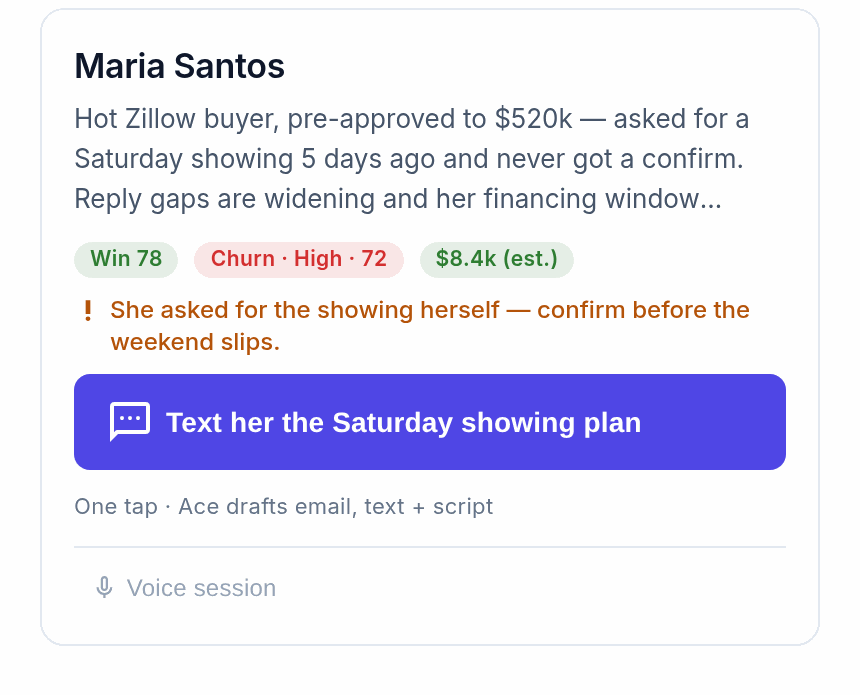
What Ace knows about your business
Ace has live access to your Follow Up Boss data:
- Contacts — history, notes, tags, assigned agent, lead source
- Activity — calls, emails, texts, property searches, showings
- Pipeline — stages, deals, open and overdue tasks
- Team — assignments, action plans, follow-up activity by agent
- CRM structure — your custom fields, tags, and Smart Lists
So you can ask "Who are my warmest buyer leads this week?" or "What's the last note on the Johnson file?" and get an immediate, accurate answer.
What you can do every day
- Morning planning: "Who should I call today and why?"
- In-the-moment prep: "Remind me about the Garcias before I call them."
- Follow-up drafting: "Write a re-engagement text for this lead who went quiet three weeks ago."
- Pipeline review: "Which active listings have had no showing in 14 days?"
- Objection coaching: "A buyer just said the market is too hot. What should I say?"
- Task creation: "Schedule a call with Marcus Rivera for Thursday at 10am."
The Ace Companion
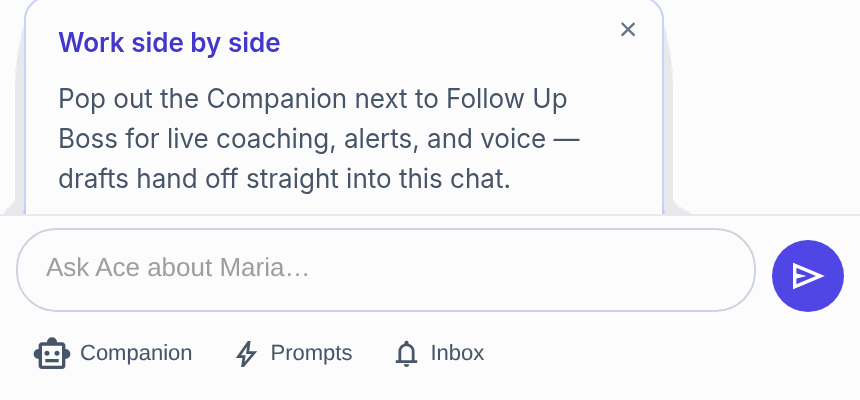
The Ace Companion is a floating window that sits alongside Follow Up Boss and follows you contact-to-contact. Both Ace and Ace Pro seats have it. Open it from the top-right of the embed, check the NEXT pane for who to reach out to, click a contact, and the NOW pane briefs you and offers a draft. Popping it out gives you a two-window setup — your list and Ace on one side, the contact record on the other.
What Ace never does without your approval
Ace is an advisor and drafter, not an autopilot. It always shows a preview and asks before it sends a message, creates or changes a task or note, moves a pipeline stage, or applies an action plan. It doesn't touch your personal email inbox, calendar, or anything outside Follow Up Boss.
Where to find Ace
The Ace panel appears in the corner of every Follow Up Boss page. Open it, and when you're viewing a contact it already knows who you mean. If you see a "Connect Follow Up Boss" prompt, your session token expired — tap it once to reconnect, no password needed.
Plan levels
Your access depends on the plan your admin assigned:
- Free — limited, basic chat.
- Ace — full CRM access, unlimited conversations, task and note creation, email drafting, Companion access.
- Ace Pro — everything in Ace, plus a premium AI model, voice mode, contact memory, and MCP integrations.
Not sure which you're on? Ask Ace: "What plan am I on?" See Understanding Your Ace Plan: Regular vs. Pro.
Related articles
- Getting Started as an Ace User — Agent Quickstart
- Using the Ace Companion
- Using Ace: The Complete Chat Guide
Last updated: July 2026
Thanks for the feedback — it helps us improve.