
Voice Mode: Talking to Ace Hands-Free (Pro)
Updated July 3, 2026
Voice mode lets you talk to Ace out loud instead of typing — ask about a contact, add a note, or get a quick briefing without touching the keyboard. It's built for the moments you're away from your desk: between showings, walking to your car, or driving to an appointment. Voice mode is an Ace Pro feature and runs in the Ace Companion.
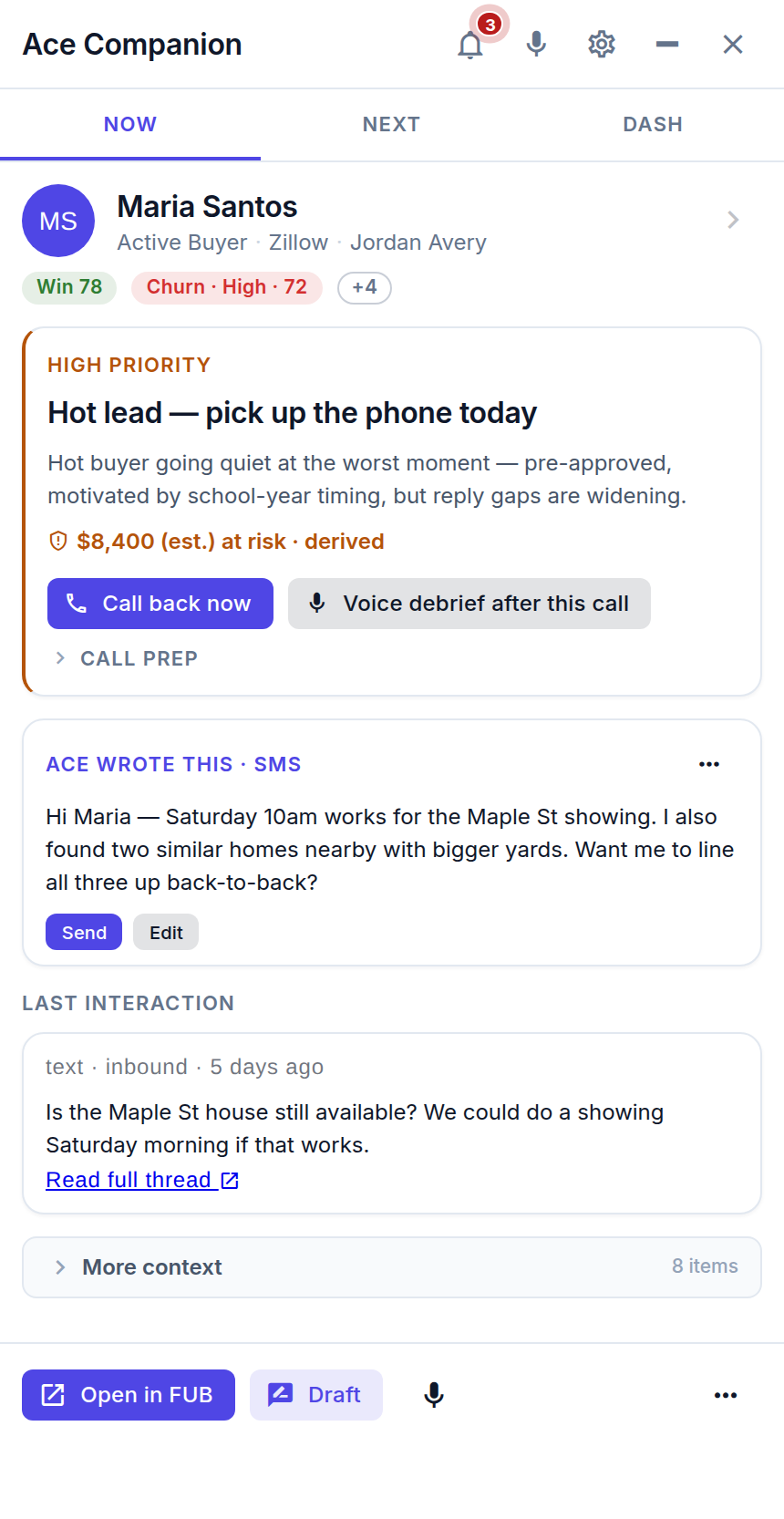
Starting voice mode
- Open the Ace Companion from the top-right of the Ace embed in Follow Up Boss.
- Click the microphone icon.
- Ace opens with a short spoken greeting based on what you were just working on — so you can pick up the thread out loud without repeating yourself.
- Talk naturally. Ace listens, answers out loud, and shows the details on screen.
What you can do by voice
- Get a briefing: "Catch me up on the contact I have open."
- Ask about your day: "Who should I call next and why?"
- Add a note: "Add a note that they want to see the downtown listing this weekend."
- Prep for a call: "Remind me where we left off with the Garcias."
As with typed chat, Ace confirms before it creates, sends, or changes anything — you stay in control.
If your microphone is blocked
Once you deny microphone access, browsers won't ask again on their own — so Ace shows an inline recovery hint with a one-tap retry.
- Click the lock (or camera) icon in your browser's address bar.
- Set the Microphone permission for the site to Allow.
- Use the retry link in the Companion — no need to reload the page.
Still no mic? Confirm no other app (Zoom, Meet) is holding the microphone, check your operating system's sound input device, and try again.
Don't see the microphone at all?
The mic icon only appears on Ace Pro seats. Ask your admin to upgrade your seat to Ace Pro from the Seats page. If you're already on Pro and still don't see it, hard-refresh the page (Cmd/Ctrl+Shift+R).
Tips
- Voice mode is desktop-only, in the Companion — on mobile, use typed chat inside the Follow Up Boss app.
- Speak in short, natural requests; you can always follow up ("now draft that as a text").
- Hands-free is safest as a listen-and-confirm tool — review anything Ace drafts before you send it.
Related articles
- Using the Ace Companion
- Understanding Your Ace Plan: Regular vs. Pro
- Troubleshooting: Common Issues and Fixes
Last updated: July 2026
Thanks for the feedback — it helps us improve.