
Ask Ace: The Command-K Assistant in Your Dashboard
Updated July 3, 2026
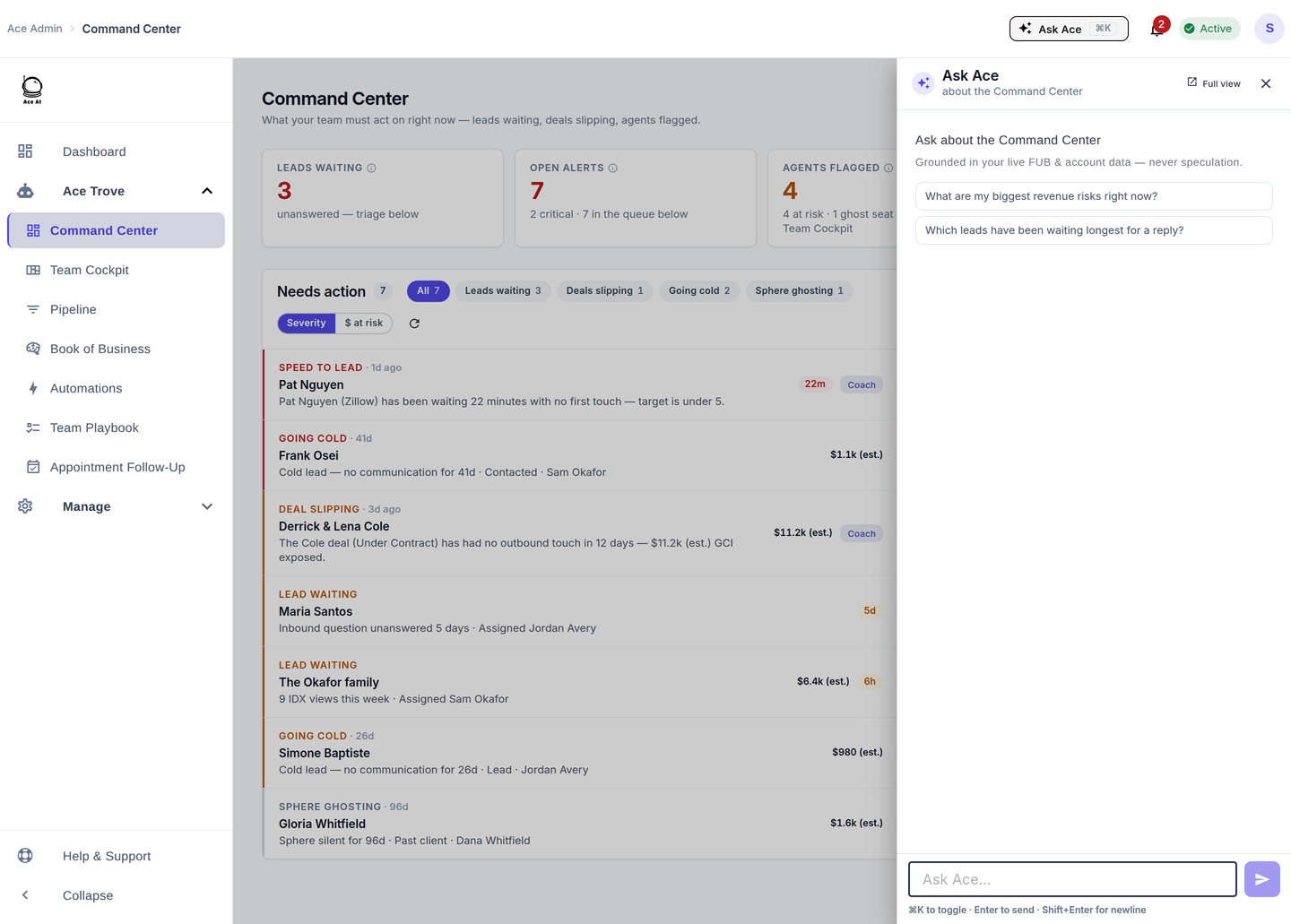
Ask Ace is the AI assistant built into the admin dashboard — a global drawer you can open from any view with the ⌘K (Ctrl+K) shortcut or the "Ask Ace" button in the top bar. It answers questions about your account in plain language, grounded in your live Follow Up Boss and account data — never speculation.
How it works
Press ⌘K on any dashboard screen and the drawer slides in, pre-scoped to what you're looking at (for example, "about the Command Center"). Type a question or tap one of the suggested prompts. Answers are drawn from your real account data, so you get specifics — names, numbers, and dollars — not generic advice. Open it in Full view for a longer working session.
Good questions to ask
- "What are my biggest revenue risks right now?"
- "Which leads have been waiting longest for a reply?"
- "Who on my team has the slowest speed-to-lead this month?"
- "Which deals are most likely to close this week?"
- "Which lead sources convert best for us?"
Five ways to use it
- Skip the click-hunt. Ask for the number instead of navigating to find it.
- Prep for a 1:1. Ask about a specific agent before a coaching conversation.
- Triage faster. From Command Center, ask which risks are biggest and act on the answer.
- Understand a metric. Ask what a number means or how it's calculated.
- Follow up in Full view. Expand the drawer for a back-and-forth on a thornier question.
Frequently asked questions
Is Ask Ace the same as the agent chat inside Follow Up Boss? Same assistant, admin context. In the dashboard it answers about your account (team, pipeline, revenue); in the FUB embed it helps an agent with a contact.
Can it make things up? It's built to answer from your live FUB and account data, not to speculate. If the data isn't there, it will tell you rather than guess.
What's the keyboard shortcut? ⌘K on Mac, Ctrl+K on Windows — from any dashboard view.
Related articles
- Team Startup Guide: Rolling Out Follow Up Ace to Your Team
- The 30-Day Adoption Playbook (for Team Leads)
- Where Did My Menu Items Go? The 2026 Dashboard Update
- What Is Ace Trove? Overview and Pricing
Last updated: July 2026
Thanks for the feedback — it helps us improve.