
Admin Dashboard Overview
Updated August 13, 2026
The Ace admin dashboard is your control hub for running Follow Up Ace across your team — seats, Ace's behavior, and (if you add it) Ace Trove. This overview shows what's on the Dashboard and where each control lives. Sign in at followupace.com/admin.
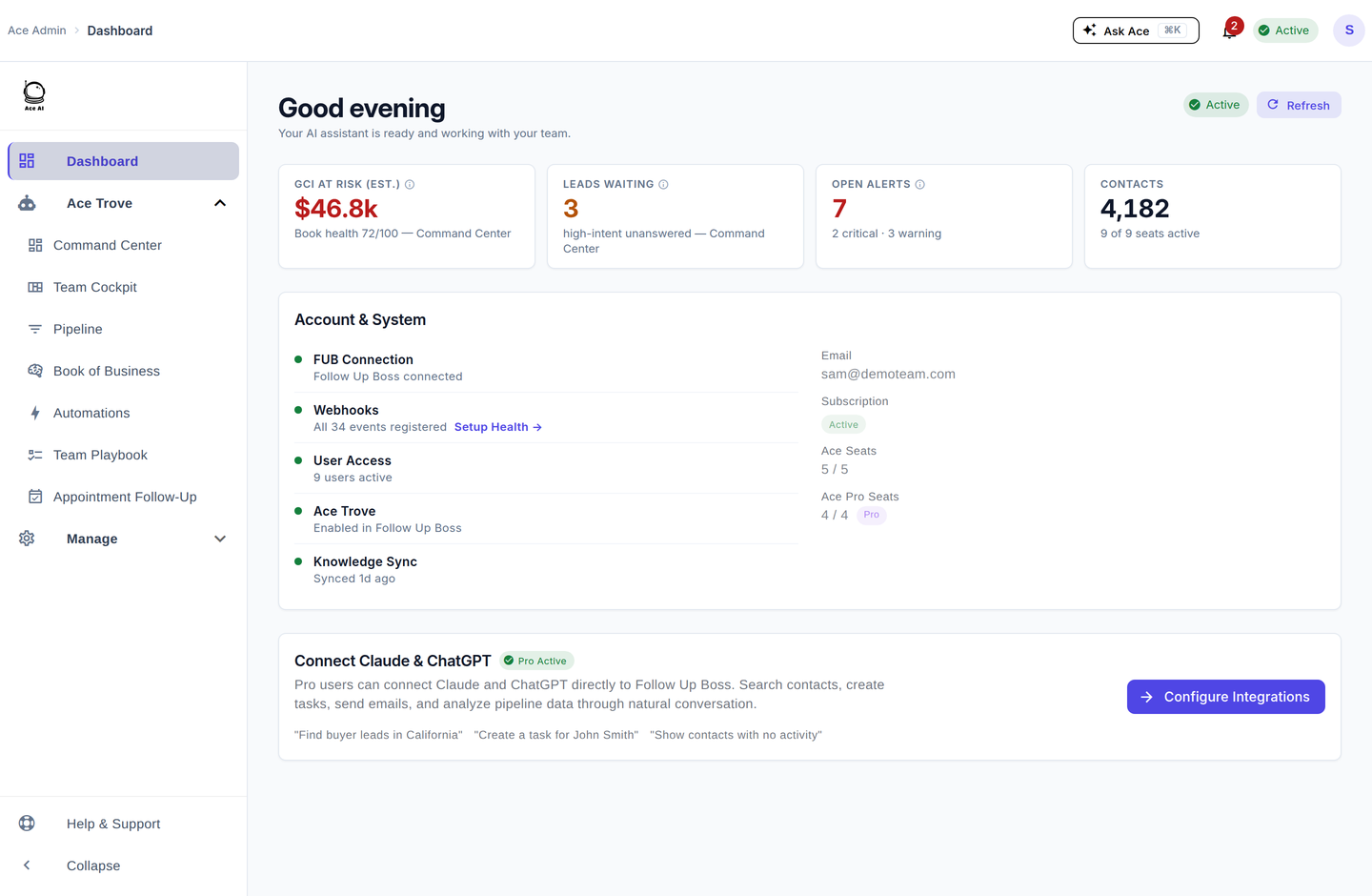
What's on the Dashboard
- Health tiles — GCI at risk (est.), leads waiting, open alerts, and total contacts, each linking into the Ace Trove view where you can act on it.
- Account & System — live status of your Follow Up Boss connection, webhooks, user access, Ace Trove, and knowledge sync.
- Getting Started — an onboarding checklist that clears itself as each step is confirmed.
- Connect Claude & ChatGPT — a shortcut into Integrations for Pro accounts.
Where each control lives
The sidebar has two groups. The Ace Trove group at the top holds the intelligence dashboards; the Manage group below holds account configuration.
| Section | What you'll find |
|---|---|
| Ace Trove | Command Center, Team Cockpit, Pipeline, Book of Business, Automations, Dynamic Smart List, Appointment Follow-Up, and Back Office (the account-wide intelligence add-on) |
| Assistant Settings | Team branding and how Ace writes for everyone |
| Knowledge Base | What Ace knows from Follow Up Boss, and which items it is allowed to use |
| Quick Prompts | One-click prompts that appear in the Ace embed |
| Seats | Assign seats, switch users between Ace and Ace Pro, and remove access |
| Integrations | Your Remote MCP Server URL and the Claude / ChatGPT connectors (Pro) |
| Setup Health | Follow Up Boss connection, webhook, and field-sync health |
| Usage & Adoption | Who's using Ace, time saved, and AI Suggestions |
| Billing | Subscription, seat counts, the Ace Trove card, payment method, and invoices |
Related articles
- Admin Setup Guide
- Ace Admin Configuration Reference
- Where Did My Menu Items Go? The 2026 Dashboard Update
Last updated: July 2026
Was this article helpful?
Thanks for the feedback — it helps us improve.