
Using the Ace Companion
Updated July 21, 2026
The Ace Companion is a floating window that tags along while you work in Follow Up Boss on desktop. It reads context from whichever contact you have open, so you can move from contact to contact in a rhythm without losing your place. The Companion is available on both Ace and Ace Pro seats.
Opening the Companion
Click Open Companion in the top-right of the Ace embed in Follow Up Boss, or press Cmd+K / Ctrl+K. The window floats above your Follow Up Boss session and follows you as you navigate between contacts.
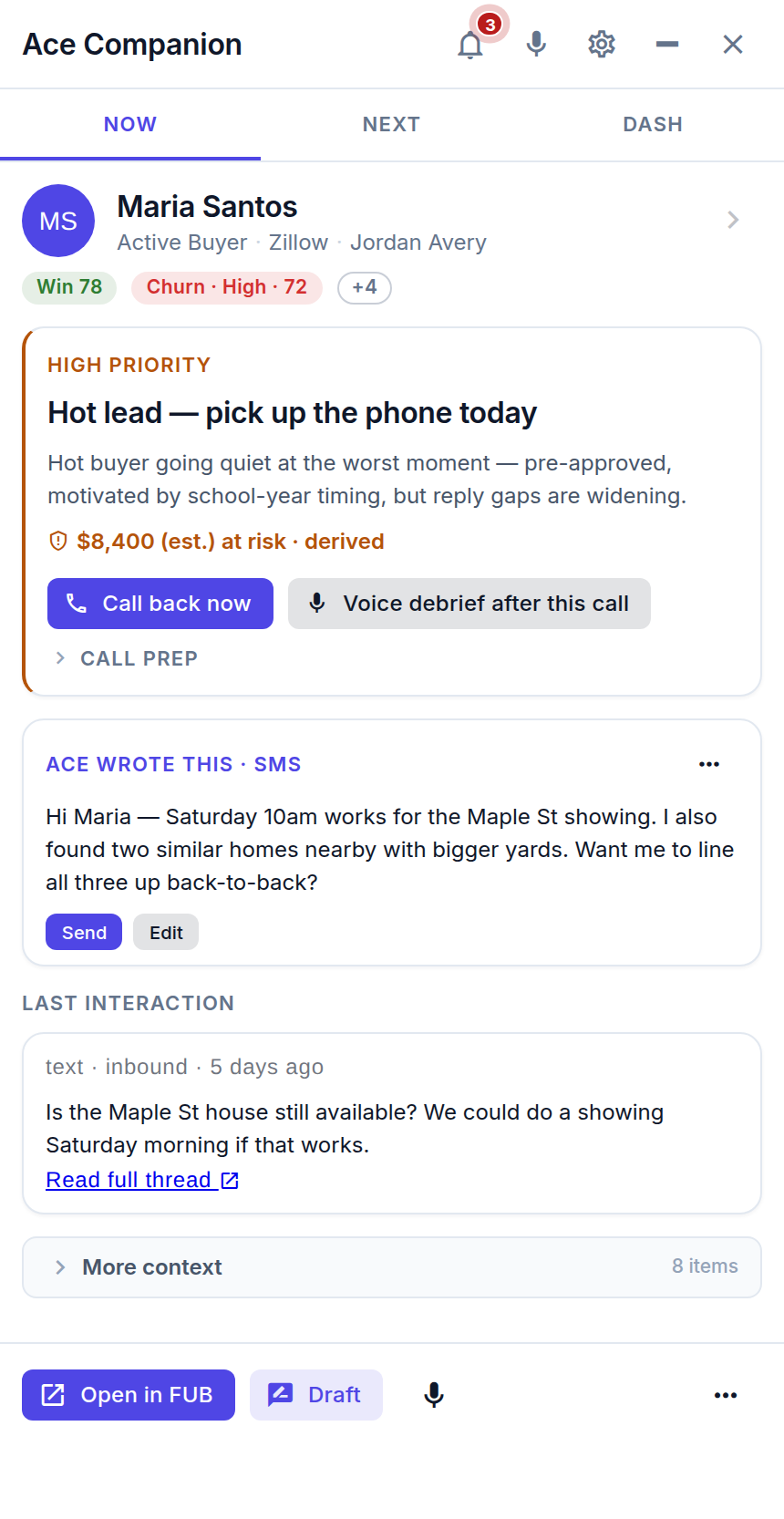
NOW — who you're looking at
When you open a contact in Follow Up Boss, the Companion detects it and the NOW pane updates with a briefing: lead source, last activity, key signals, and the suggested next step — often with a ready-to-send draft. You don't tell Ace who you're looking at; it reads context from the parent window.
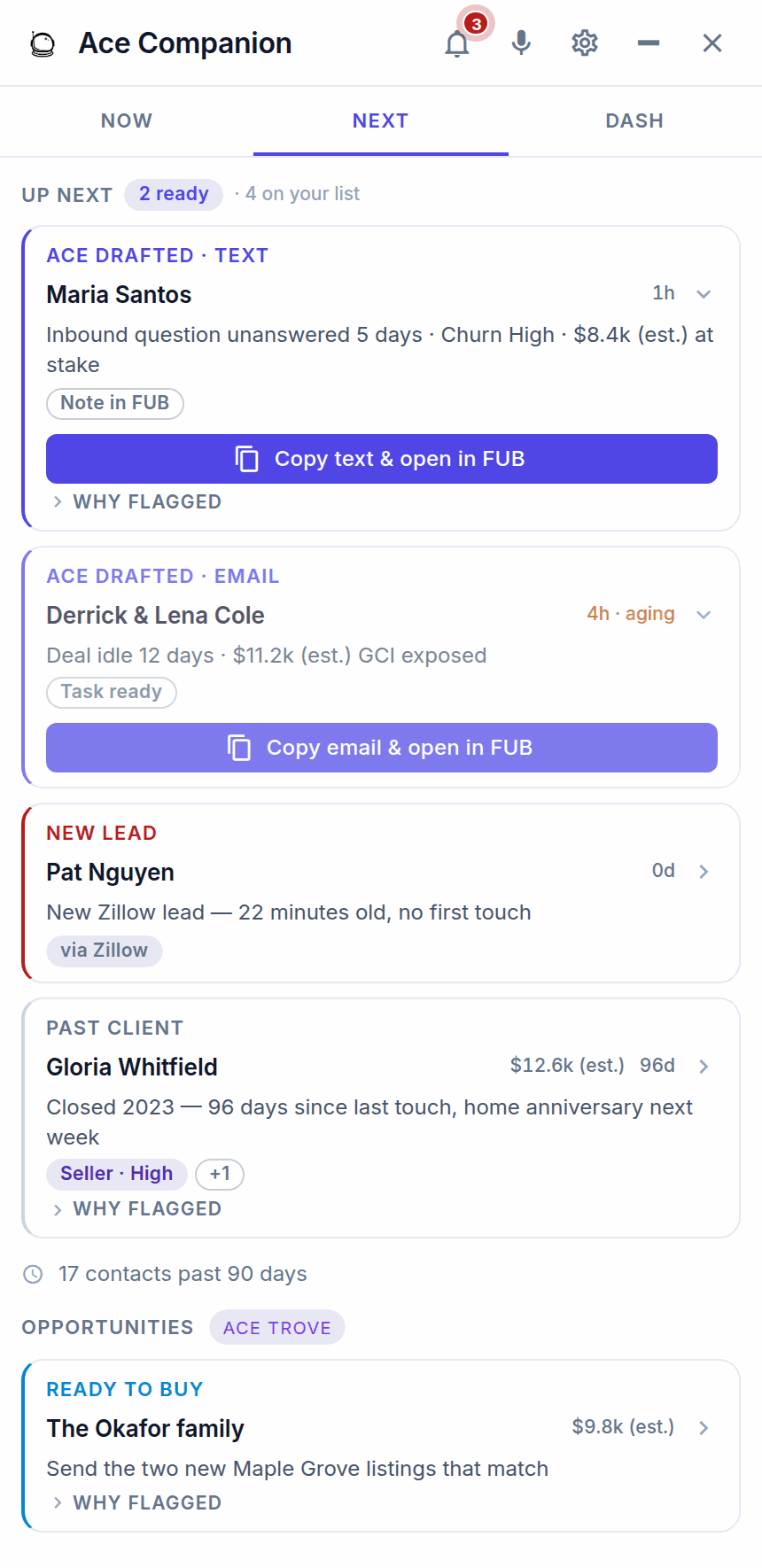
NEXT — who to talk to next
The NEXT pane is your prioritized call list for the day — the order is the priority. Ace-drafted texts and emails sit at the top, ready to copy and open in Follow Up Boss, followed by new leads, past clients, and Trove opportunities. Click any contact to load them in Follow Up Boss; NOW updates with their briefing. Ace seats see the top 5; Pro seats see the top 10. Admins tune the ranking from the Team Playbook page.
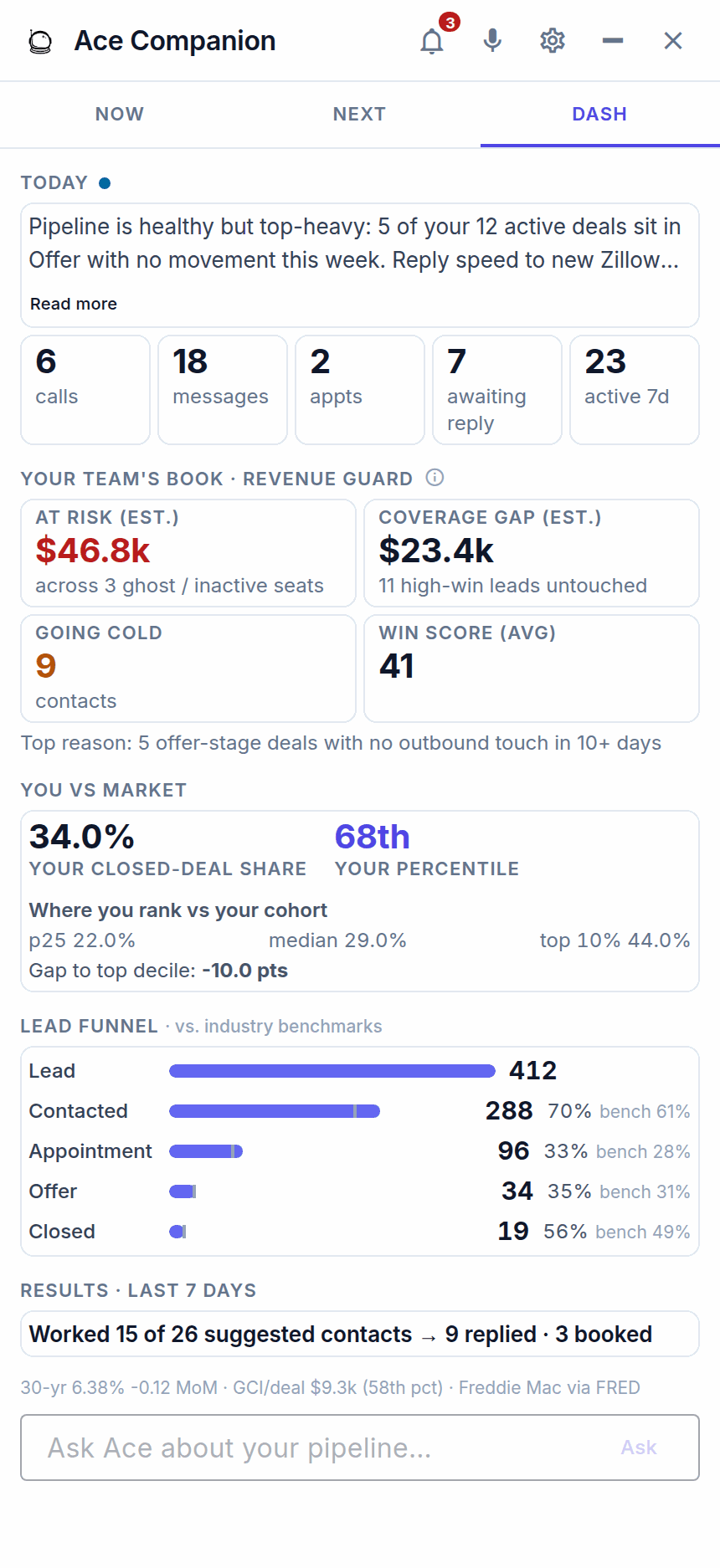
DASH — your numbers
The DASH pane gives you a daily brief plus your own read on pipeline health, revenue at risk (est.), how you rank versus your market, and your lead funnel. It needs Ace Trove active on the account — it isn't tied to Regular vs. Pro seats.
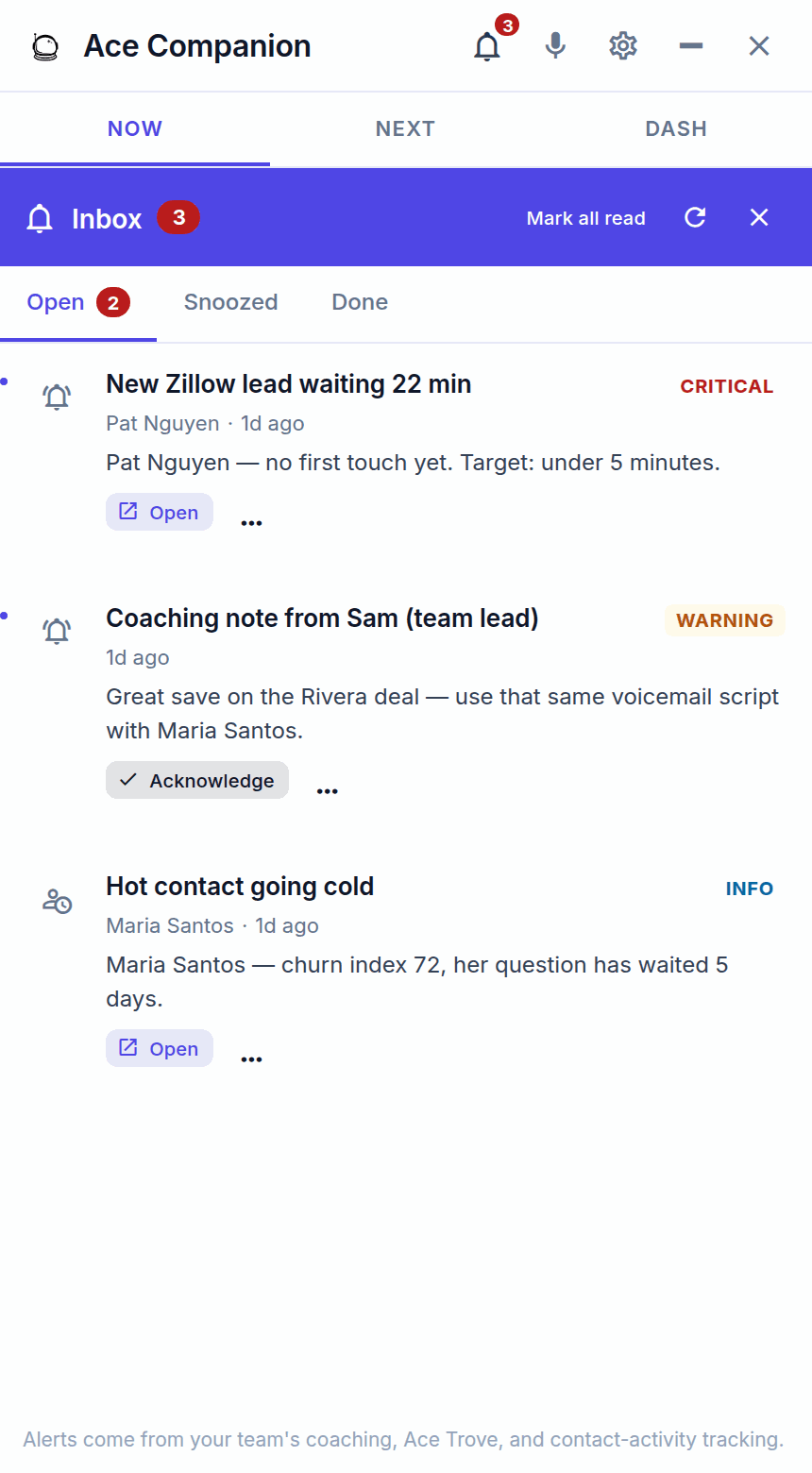
Inbox — coaching from your team lead
The Companion also has an Inbox. When your admin or team lead coaches you on a contact from their dashboard, that note lands here alongside a matching task and note in Follow Up Boss — so the feedback and the record stay together. You'll also see time-sensitive alerts here, like a new lead waiting too long. Open a note, act on it, and keep moving.
Your daily workflow
- Open the Companion from the top-right of the Ace embed.
- Check NEXT and pick the top item on today's list.
- Click the contact — Follow Up Boss navigates to them and NOW shows their briefing.
- Work them in the embed — ask Ace to draft an email, text, talking points, or an objection response.
- Send and move on — review, approve, send, then back to NEXT.
The pattern: NEXT → click → NOW brief → embed chat → draft → send → repeat.
Voice mode (Pro)
On Pro seats, click the mic icon in the Companion to talk to Ace hands-free — ask questions, add notes, or get a briefing, ideal when you're driving between appointments. Ace opens with a short spoken greeting tuned to what you were just working on. If your browser has blocked the microphone, the Companion shows an inline recovery hint: click the lock icon in the address bar, allow the microphone, and use the retry link — no reload needed. Full guide: Voice Mode: Talking to Ace Hands-Free (Pro).
One product, two windows
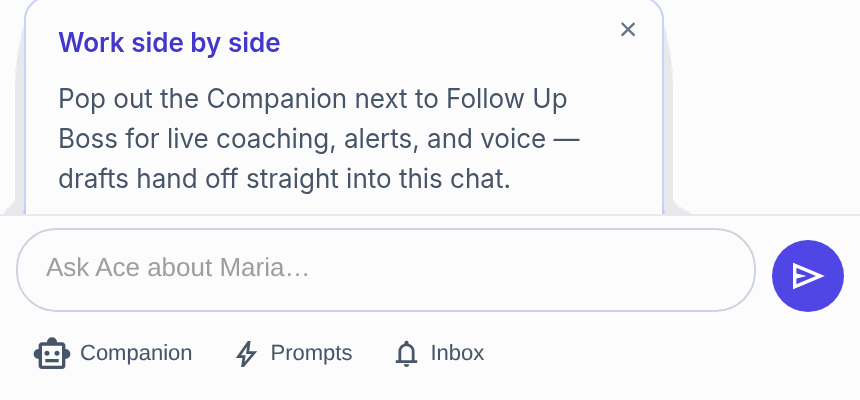
The Follow Up Boss embed and the pop-out Companion are the same product — what you do in one carries into the other, and switching contacts in Follow Up Boss moves the Companion with you. Popping the Companion out into its own window gives you a two-window setup: your list and Ace on one side, the contact record on the other. There's an on-ramp hint in the embed that explains it.
Related articles
- Voice Mode: Talking to Ace Hands-Free (Pro)
- What Is Follow Up Ace? A Quick Introduction
- Troubleshooting: Common Issues and Fixes
- What Is Ace Trove? Overview and Pricing
Last updated: July 2026
Thanks for the feedback — it helps us improve.