Mastering Follow Up Boss Action Plans: CRM Workflow Automation for Busy Agents (2026)
CRM workflow automation is the use of pre-defined rules, triggers, and scheduled tasks to move leads through your pipeline without manual intervention. In Follow Up Boss, this is powered by Action Plans — timed sequences of calls, texts, and emails that launch automatically when a lead arrives or a stage changes. They are the single highest-leverage feature in the platform for busy agents.

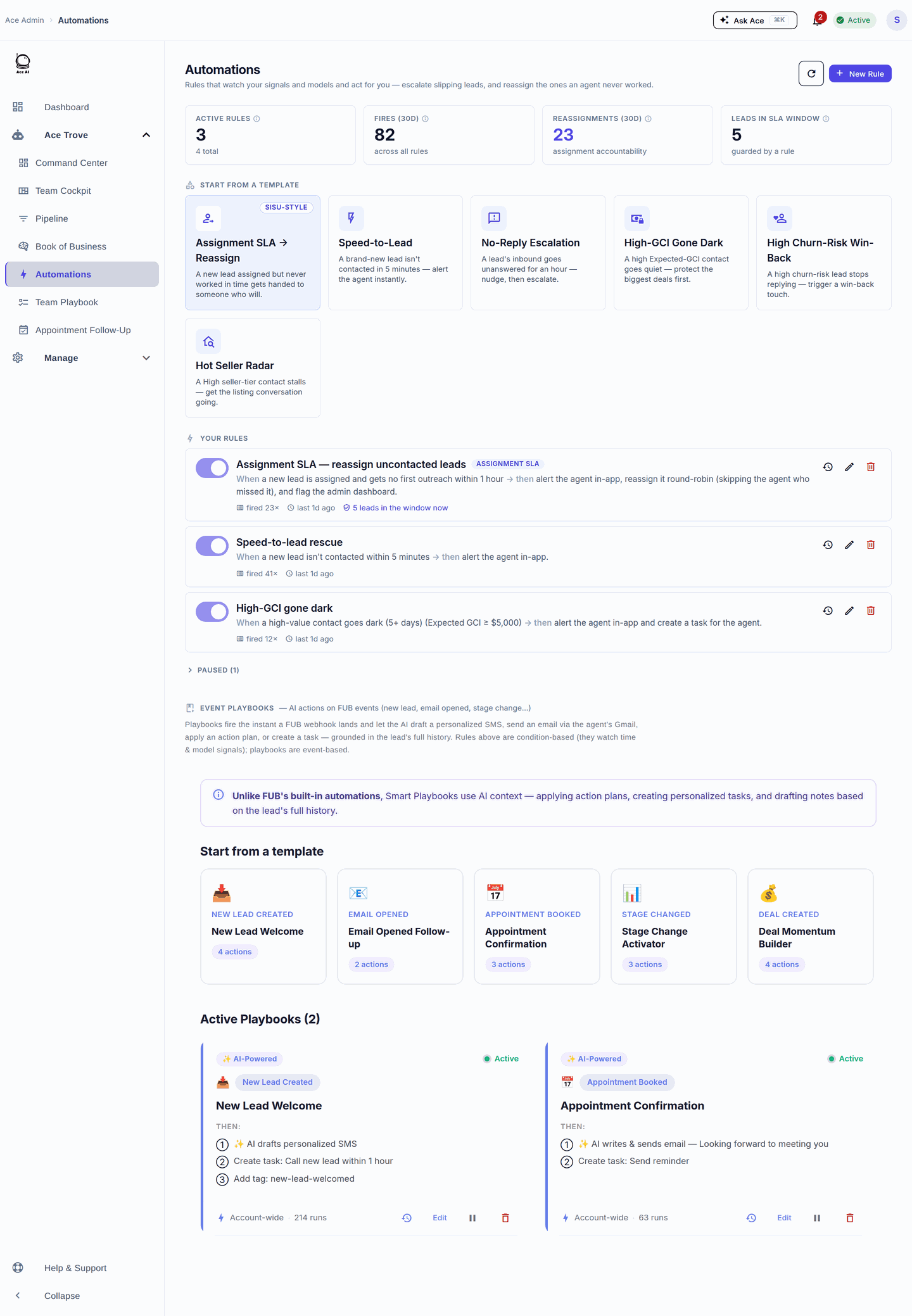
What Is CRM Workflow Automation?
CRM workflow automation is the practice of configuring your contact management software to execute follow-up tasks automatically, based on triggers you define once. Instead of deciding every morning who to call and what to say, the CRM fires the right action at the right time — consistently, even when you are showing homes or in closing.
At its core, every automation workflow has three parts:
- Trigger — the event that starts the sequence (new lead, stage change, tag applied)
- Action — what the CRM does (send text, schedule call, create task, send email)
- Timing — when the action fires (immediately, after 1 hour, on day 3, on day 14)
In practice, a well-built automation library means a new internet lead gets a text within minutes, a follow-up call task on day 2, an email on day 5, and a re-engagement nudge at 30 days — without you touching a single button. That is the entire value proposition of a CRM with workflow automation.
What Are Follow Up Boss Action Plans?
Follow Up Boss Action Plans are the platform's built-in workflow automation system. An Action Plan is a saved, reusable sequence of steps — calls, texts, emails, and tasks — each scheduled a set number of days after the plan starts. Once a lead is enrolled in a plan, the CRM works the sequence automatically.
Action Plans live at Admin › Action Plans in your Follow Up Boss account. Every step you add specifies:
- Type — call task, text message, email, or custom task
- Day offset — how many days after enrollment the step fires (Day 0, Day 1, Day 7, etc.)
- Message content — the actual text or email body, often with personalization tokens like {"{"}firstName{"}"}
- Assigned to — the lead owner, a specific teammate, or a round-robin pool
Action Plans are the CRM equivalent of a repeatable sales playbook. Build it once, and every agent on your team follows the same proven sequence — no matter how new they are or how busy the week gets.
How to Build a Follow Up Boss Action Plan (Step-by-Step)
New to Action Plans? Here is the full build process from scratch.
- In Follow Up Boss, go to Admin › Action Plans and click New Action Plan.
- Give the plan a descriptive name that maps to a specific lead source or stage (e.g., "Zillow Buyer — Day 1-30" or "Open House Attendee — 7-Day Nurture").
- Add your first step: choose the type (call, text, or email), set the day offset to 0 for an immediate action, and write the message.
- Continue adding steps at meaningful intervals: Day 1 call, Day 3 text, Day 7 email, Day 14 text, Day 30 re-engagement email.
- For text and email steps, write the body copy. Use personalization tokens — {"{"}firstName{"}"}, {"{"}agentName{"}"}, {"{"}agentPhone{"}"} — to make each message feel 1:1.
- Set the step's assignee to "Lead Owner" so the task always routes to the right agent.
- Save the plan. Then wire it to a lead source under Admin › Lead Routing or add it manually from any contact's record.
For most teams, 3-5 Action Plans cover the majority of scenarios: one for internet buyer leads, one for seller inquiries, one for sphere/referrals, one for open house attendees, and one for cold/long-term nurture.
Follow Up Boss Action Plan Best Practices
Front-load your sequences
The first 72 hours after a lead registers are the highest-value window. Structure your plans so days 1-3 are dense — a call within minutes, a text within the hour, another call or text on day 2. After that, weekly or bi-weekly touches are enough for most mid-funnel contacts.
Keep text messages short and question-ended
Text steps that ask a direct question ("Are you still looking in the Westside area?") generate replies. Replies pause the automated sequence and hand the conversation back to the agent. This is exactly the behavior you want — automation to start the conversation, humans to close it.
Use tags to trigger the right plan automatically
Follow Up Boss lets you auto-apply tags based on lead source. Map your top sources to specific plans in Admin › Lead Routing so the right sequence fires the moment a lead arrives — no agent intervention required.
Pair plans with Smart Lists for visibility
Create a Smart List filtered to "Action Plan = Active" and "Last Contacted > 7 days." This surfaces contacts who are in a plan but haven't had a real human touch recently — useful for team leads reviewing pipeline health each morning.
Action Plans vs. Other CRM Automation Approaches
Follow Up Boss Action Plans sit in a specific position in the CRM automation landscape. Understanding the tradeoffs helps you know when to use them and when to reach for another tool.
| Automation Type | Best For | Limitation |
|---|---|---|
| FUB Action Plans | Time-based drip sequences tied to lead source or stage | Linear — doesn't branch on behavior or engagement level |
| FUB Smart Lists | Dynamic views that surface the right contacts at the right time | Passive — shows who needs work, but doesn't do the work |
| Zapier / webhook automations | Cross-app workflows (e.g., Facebook Lead Ads → FUB → Slack) | Requires third-party setup and maintenance; no CRM context |
| AI-driven automation (e.g., Follow Up Ace) | Adaptive workflows that respond to actual engagement signals | Requires an AI add-on layer; more setup complexity upfront |
For most teams, the winning stack is: FUB Action Plans for structured early-stage sequences + Smart Lists for daily prioritization + an AI layer like Follow Up Ace to score and re-surface contacts that drift off your radar.
What Happens When a Lead Doesn't Respond to Your Action Plan?
This is the gap that breaks most teams. Action Plans run their sequence and stop. A 30-day buyer nurture plan enrolls a lead on day 1, fires steps through day 30, and then — silence. If the lead didn't convert, they sit in your database untouched until someone remembers to check.
The standard fix is a "long-term nurture" Action Plan with monthly touches — one email per month for 12 months. That is better than nothing, but it is still a time-based blast with no regard for whether the lead has become more active recently.
The better fix is to layer in engagement scoring. When a lead re-opens your email or re-visits your website, that behavior should trigger a new sequence — not wait for an arbitrary calendar event. This is where AI-driven automation meaningfully outperforms static Action Plans.
How Follow Up Ace Extends Action Plan Automation with AI
Follow Up Ace is the AI intelligence layer built specifically for Follow Up Boss. It connects directly to your FUB account and extends workflow automation in ways static Action Plans cannot.
Ace Score and Ace Tier — live engagement scoring on every contact
Every contact in your Follow Up Boss account gets a live Ace Score (0–100) and an Ace Tier (Hot / Warm / Cool / Cold / Dormant). These are calculated from real activity — calls, texts, emails, website visits — and written to custom fields in FUB so they appear directly on the contact card. The full field set also includes Ace Status, Ace Response Time, Ace Velocity Score, Ace Days Since Inbound, and Ace Preferred Channel.
These fields are available on the free plan. You can build Smart Lists in Follow Up Boss filtered to "Ace Tier = Hot" to instantly see which contacts your Action Plans have warmed up — and prioritize human outreach accordingly. (Verified: chat-app/shared/aceIntelligenceFieldsConfig.js)
Pipeline Health Check — catch stuck deals before they die
The pipeline-health-check tool analyzes your entire deal pipeline for stuck deals, overdue stage transitions, and deals that need immediate attention. Where a static Action Plan runs on a timer, this tool reads your actual pipeline data and surfaces what is broken right now. Think of it as the automated audit your Monday morning meeting should be running.
Available through the Ace agentic tools. (Verified: mcp-server/src/index.ts:4198)
Lead Nurture Optimizer — re-engage cold contacts intelligently
The lead-nurture-optimizer tool identifies contacts who have gone cold or haven't been touched in a configurable number of days, then suggests personalized re-engagement action plans and follow-up sequences. It does the database archaeology that no agent has time to do manually — and hands you a prioritized list with suggested next steps.
(Verified: mcp-server/src/index.ts:4230)
Fair Housing compliance scanning on every message
Action Plan messages go out at scale — which makes a compliance error a large-scale problem fast. Follow Up Ace includes a scanForComplianceViolations() check that scans message text for Fair Housing and licensing prohibited language before anything sends. It runs on both manually drafted messages and AI-generated suggestions. (Verified: chat-app/utils/complianceGuard.js:293)
See our compliance guide for more on what real estate agents need to know about AI-generated messaging and Fair Housing law.
Follow Up Boss Action Plan Templates: Starting Points for Common Scenarios
Below are the starting-point frameworks used by high-volume teams. Adjust the copy and timing to match your market and voice.
Internet Buyer Lead (Days 1-30)
- Day 0 (immediate): Automated text — "Hi {"{"}firstName{"}"}, I just saw your inquiry. Quick question — are you looking to buy in the next 3 months or just exploring? — {"{"}agentName{"}"}"
- Day 0 + 5 min: Call task assigned to lead owner
- Day 1: Text — "Any chance you have 10 minutes this week to talk about what you're looking for?"
- Day 3: Email — brief intro, attach neighborhood market snapshot
- Day 7: Call task
- Day 14: Text — "Still keeping an eye out for you. Anything specific you'd like me to watch for?"
- Day 30: Email — "Market update: here's what's changed in [Area] this month"
Open House Attendee (Days 1-14)
- Day 0: Text — "Great meeting you at [Address] today! Did any of the features stand out to you?"
- Day 2: Call task
- Day 5: Email — "Two similar listings you might like" (personalized to their stated criteria)
- Day 14: Text — "Still in search mode or did you find something?"
Long-Term Nurture / Sphere (Monthly)
- Day 1: Email — "Thinking of you — here's the market snapshot for [Area]"
- Day 30: Text — brief personal check-in
- Day 60: Email — local market trend piece
- Day 90: Call task — quarterly check-in
- Continue monthly email cadence through month 12
How to Connect Follow Up Ace to Your Follow Up Boss Action Plans
Follow Up Ace connects to Follow Up Boss through your account credentials — no API keys to manage. Once connected, Ace Score fields populate automatically via webhooks, and the AI tools become available inside your FUB dashboard as an embedded sidebar.
The Ace Trove tier adds account-wide analysis, pipeline health monitoring, and advanced contact intelligence. Pricing starts at $49/month for accounts up to 5,000 contacts and scales by contact volume (up to $899/month for accounts up to 500,000 contacts). Per-seat plans for individual agents are available on Regular ($25/seat) and Pro ($55/seat) tiers. (Verified: chat-app/config/accountAiBillingConfig.js:64–70, chat-app/routes/embed.js:2647)
For teams using Claude or ChatGPT as their AI assistant, Follow Up Ace also exposes a direct MCP connector: the Streamable HTTP endpoint is https://followupace.com/mcp and the streamable-HTTP endpoint is https://followupace.com/mcp?tools=full (Pro plan required). This lets your AI assistant read and act on your Follow Up Boss data directly — including fetching and analyzing your Action Plan enrollment data. (Verified: chat-app/routes/embed.js:4308–4309)
Frequently Asked Questions About Follow Up Boss Action Plans
Can I auto-enroll leads into an Action Plan based on lead source?
Yes. Under Admin › Lead Routing, you can set each lead source to automatically assign a specific Action Plan. This means a Zillow lead, a Realtor.com lead, and a website inquiry can each land in completely different sequences without any manual routing.
What happens if a lead responds mid-sequence?
In Follow Up Boss, receiving a reply (text or email) does not automatically pause the Action Plan — you or your agent needs to manually pause or remove the contact from the plan once a real conversation begins. This is an important operational habit to build into your team's workflow; otherwise leads can receive automated texts while you are actively talking to them.
How many Action Plans should I have?
Most high-performing teams operate 4–8 core plans: one per major lead source (Zillow, website, open house, referral), one for post-close nurture, and one for long-term database drip. More than 10–12 plans usually signals that plans are too granular and maintenance becomes a burden.
Does Follow Up Boss have a mobile app for managing Action Plans?
Follow Up Boss has iOS and Android apps that let agents see active plans and complete call and task steps on the go. Creating or editing Action Plans requires the desktop web interface.
How is AI automation different from a standard Action Plan?
A standard Action Plan fires steps on a fixed calendar schedule regardless of what the contact does. AI automation — like what Follow Up Ace adds — reads actual engagement signals (opens, clicks, reply behavior, website activity) and adjusts priorities accordingly. The two work best together: Action Plans handle the structured early-stage cadence; AI scoring surfaces who among your database needs attention right now.
Related reading
- Ace Agentic Tools — pipeline health check and lead nurture optimizer
- Ace Trove — account-wide contact intelligence for Follow Up Boss
- Fair Housing compliance for AI-generated real estate messages
- From Lead to Listing: A 5-Step Action Plan Recipe That Doubles Speed to Contact
- Guides: Follow Up Boss setup and optimization
Try Follow Up Ace in your Follow Up Boss
Free to start, no sales call. Connect Follow Up Boss in one click and Ace works inside your CRM.
Get Started Free