The Ultimate Guide to Follow Up Boss Chat Tools
Follow Up Boss's built-in chat tools include a shared team inbox for SMS/email, two-way texting with templates, @mentions for team collaboration on contacts, and calling with voicemail drop. To add AI conversation assistance and voice chat, Follow Up Ace layers on top of FUB as an embedded AI layer — available to users on its Regular or Pro plan respectively.

What communication tools are built into Follow Up Boss?
Follow Up Boss (owned by Zillow Group) is built around a shared team inbox that centralizes all client communication across SMS, email, and calls. Rather than agents managing separate text threads and email inboxes, FUB brings every conversation about a contact into a single record. The core built-in communication tools are:
- Two-way SMS: Send and receive texts directly from the FUB contact record. Includes template library for common messages like showing confirmations and follow-ups.
- Team inbox: All inbound leads and client messages land in a shared team inbox visible to assigned agents and team leaders. Unresponsive leads are visible before they fall through.
- Email integration: Two-way email sync with Gmail or Outlook. Emails sent from your connected email client appear in FUB automatically.
- Built-in calling: FUB has a built-in dialer for outbound calls, with call recording, voicemail drop, and call logging. Calls are auto-logged on the contact's timeline.
- @mentions: Tag team members in contact notes to loop them into a conversation without switching to a separate messaging tool.
- Action plans: Automated message sequences that send texts and emails on a schedule after a trigger event (new lead, stage change, etc.).
How does Follow Up Boss's team inbox work?
The FUB inbox functions like a shared email client where every thread is attached to a contact record. When a lead texts in from a Zillow lead, the message appears in both the inbox and on the contact's timeline. Any team member with inbox access can see and respond. Lead routing rules determine which agent gets assigned, but team leaders can monitor all threads.
The inbox has three primary views:
- Inbox: Unread messages from any lead or client requiring a response
- Action Required: Contacts flagged as needing follow-up by the system or a team member
- All Messages: Complete thread view across all contacts for a given time period
Team leads use the inbox to spot missed follow-ups before they go cold. Agents use it as their primary response queue during the workday.
What SMS capabilities does Follow Up Boss include?
FUB supports two-way SMS through a provisioned number assigned to your account. Key features:
- Send individual texts from the contact record or in bulk via action plans
- Receive inbound texts that thread with your outbound history
- Message templates for frequently used texts (appointment confirmations, showing follow-ups, "just checking in" messages)
- Auto-responder texts when a lead comes in after hours (via action plans)
- Read receipts showing whether your message was delivered
One important limitation: FUB's built-in SMS is designed for individual and action-plan messages, not bulk broadcast texts. For marketing-style mass SMS campaigns, real estate teams typically use a separate SMS platform integrated with FUB via Zapier or a native connector.
What is the difference between FUB's built-in calling and third-party dialers?
FUB's native calling is a click-to-call dialer — you open a contact, click call, and the system connects you via your browser or a forwarded phone number. It supports:
- Outbound calls with call recording
- Voicemail drop (pre-recorded voicemail delivered without waiting for the beep)
- Automatic call logging on the contact's timeline
- Inbound call handling with caller ID lookup against FUB contacts
Third-party power dialers (Mojo, PhoneBurner, REDX) are better for high-volume prospecting sessions — dialing through lists of hundreds of cold contacts per session. FUB's native calling is better for warm follow-up calls on contacts already in your CRM. Most teams use FUB calling for warm follow-up and a separate dialer for cold prospecting.
Does Follow Up Boss have AI chat features?
Follow Up Boss itself is a CRM — it doesn't include a built-in AI conversation assistant or AI-generated message drafts. That capability comes from third-party AI layers that integrate with FUB.
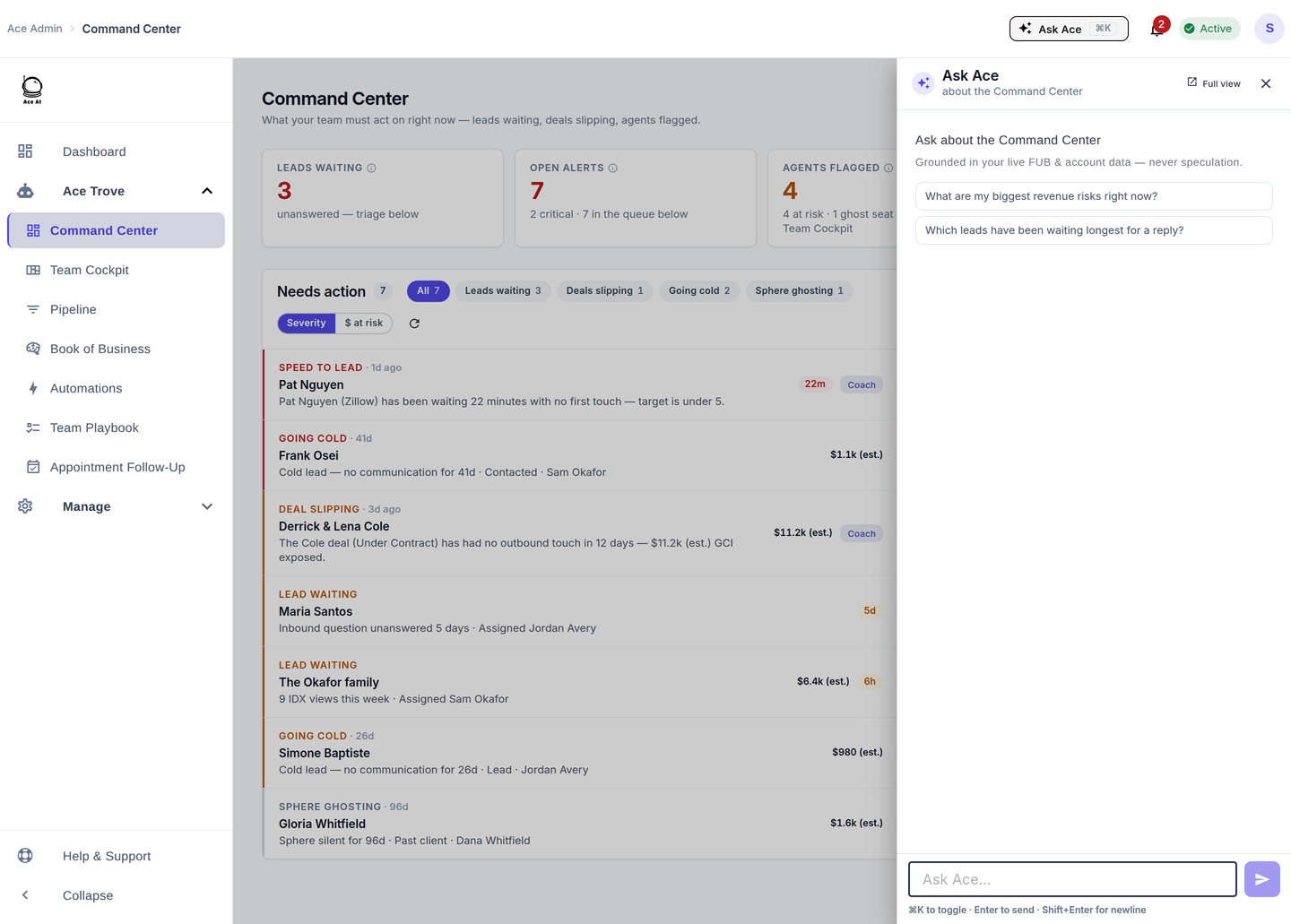
Follow Up Ace is one such layer. It embeds directly inside the Follow Up Boss interface and adds:
- An AI chat assistant that can answer questions about any contact in your FUB account using the contact's full history
- AI-generated follow-up message drafts based on the contact's last conversation
- Voice chat with AI (Pro plan) for hands-free conversation during a prospecting session — verified in
chat-app/routes/embed.js:2647wherevoiceChatEnabledis set whentoPlan === 'pro' - Contact intelligence fields like Ace Score (0–100), Ace Tier, and Ace Preferred Channel that inform which communication channel to use with each contact
The Ace Preferred Channel field (verified in chat-app/shared/aceIntelligenceFieldsConfig.js) specifically addresses a core communication challenge: some contacts respond to texts, others to email, others to calls. Ace tracks response patterns and surfaces the channel each contact has historically engaged with — so you're not defaulting to text for everyone.
How do you set up SMS templates in Follow Up Boss?
- In FUB, go to Admin > Templates
- Click "New Template" and select SMS
- Write your message using FUB's merge fields:
{{first_name}},{{agent_name}},{{property_address}}, and others - Save and assign the template to a category (e.g., "New Lead," "Showing," "Follow Up")
- Access saved templates when composing a text from the contact record by clicking the template icon
For action-plan-triggered texts, templates are attached to action plan steps rather than used manually. The message sends automatically when the step fires.
What compliance considerations apply to FUB chat and SMS?
SMS and email communication in real estate is subject to the Telephone Consumer Protection Act (TCPA), CAN-SPAM, and — when content involves housing — the Fair Housing Act. Key compliance requirements for FUB SMS users:
- Opt-in before texting: TCPA requires prior express written consent before sending marketing texts. Ensure your lead capture forms include SMS opt-in language.
- Include opt-out in every message: All marketing texts must include a STOP opt-out instruction. FUB's built-in SMS handles STOP responses automatically.
- Fair Housing in message content: Marketing messages must not include language that could indicate discriminatory preferences. The Ace compliance tools include a Fair Housing scan function (
scanForComplianceViolations()inchat-app/utils/complianceGuard.js:293) that flags potentially problematic language in outbound messages before they're sent. - Call recording disclosure: If using FUB's call recording feature, check your state's laws — some states require two-party consent for recorded calls.
How do you use @mentions in Follow Up Boss for team chat?
FUB's @mention feature turns the contact note field into a lightweight team communication tool. Type @ and a team member's name in any note on a contact record, and they receive an in-app notification pointing them to that contact. Common uses:
- Asking a team leader to review an unusual client situation
- Handing off a contact to another agent with context in the note
- Flagging a compliance concern for an admin to review
- Coordinating between an ISA and a buyer's agent on a lead handoff
@mentions are internal — contacts never see them. They're stored on the contact's timeline so the full context is preserved for anyone who reviews the record later.
What is the best communication stack for a Follow Up Boss team?
A well-configured FUB communication stack typically layers:
| Layer | Tool | Use Case |
|---|---|---|
| CRM + Team Inbox | Follow Up Boss | All contact records, warm SMS/email, action plans |
| AI Conversation Layer | Follow Up Ace | AI chat, contact scoring, voice chat (Pro), compliance scan |
| Cold Prospecting Dialer | Mojo, PhoneBurner, REDX | High-volume outbound dial sessions |
| Broadcast SMS / Drip | Twilio, SimpleTexting | Mass text campaigns (opt-in list) |
| Internal Team Chat | Slack + FUB @mentions | Agent coordination, management escalations |
See the Agentic hub for more on how AI conversation tools connect to your FUB workflow, and the AI conversation summaries guide for a specific look at how Ace handles post-conversation logging.
Try Follow Up Ace in your Follow Up Boss
Free to start, no sales call. Connect Follow Up Boss in one click and Ace works inside your CRM.
Get Started Free